Product Video Localization Checklist: Review Meaning, UI Terms, and Voiceovers


A product video localization checklist helps you review a translated video before it goes live. Check four things: product terms, voiceover, captions, and on-screen interface labels. Translation alone is not enough. A fluent reviewer should compare the localized video with the source and sign off on each language version.
What does SaaS video localization include?
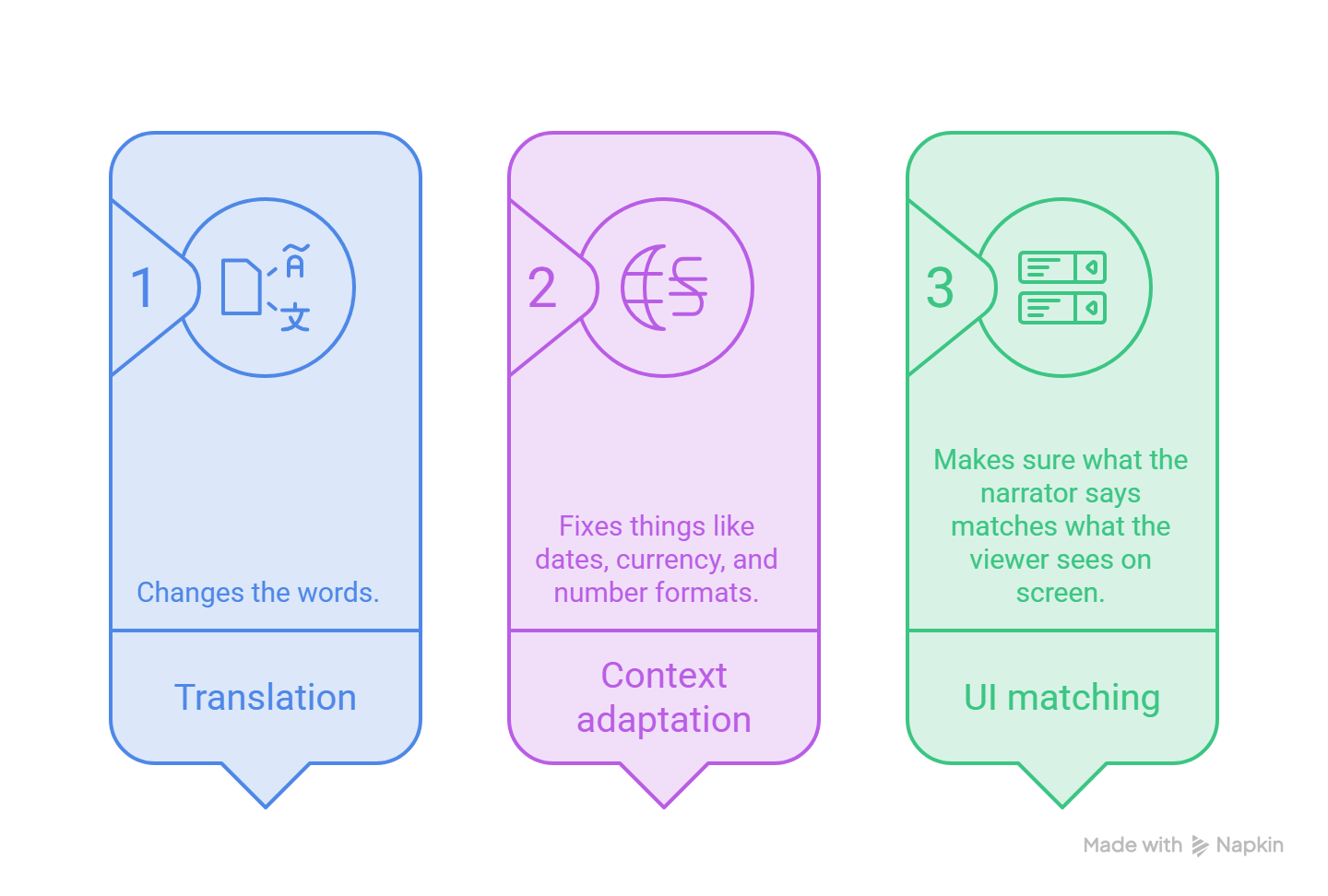
SaaS video localization has three layers. Translation changes the words. Context adaptation fixes things like dates, currency, and number formats. UI matching makes sure what the narrator says matches what the viewer sees on screen.
Most teams stop after layer one. But a perfect translation can still describe a button the viewer cannot find.
This post covers the review step. To check whether AI can make videos in other languages, start with our guide on how AI creates product videos in multiple languages. Then come back to check your draft.
A quick example
Say your English script reads: "Open Billing History and click Export PDF." In a German version, the menu might read "Abrechnungsverlauf" while the button stays "Export PDF". The narration has to name both exactly as they appear on screen. If a translator turns the button into "PDF exportieren", the viewer hears one thing and sees another.
Dates and money shift too. The date 12/31/2026 becomes 31.12.2026, and $1,250.00 becomes 1.250,00 €.
How do you build a product terminology glossary?
A product terminology glossary is one shared list of how your product is named in every language. Build it before anyone translates a word. It stops the same button from being translated three different ways.
Include feature names, menu and button labels, user roles, brand names and acronyms. Add local date, number, and currency rules, plus a pronunciation note for anything a voice might trip over.
Here are a few example rows:
Your product team decides what stays in English. Your local reviewer checks that terms sound natural to customers and writes the pronunciation notes.
As I experienced, the "keep in English?" column saves the most arguments. Decide once and use it everywhere.
How do you run localized voiceover review?
Have a fluent reviewer watch the video with the sound on. Give them a short checklist instead of asking "does it sound okay?" A localization case study on synthetic voices makes the same point: reviewers need clear criteria.
Ask them to check three things:
- Meaning. Does the voice say what the source says? Check for missing or added details and tone.
- Pronunciation. Listen for brand names, acronyms, numbers, and units.
- Timing. Does each sentence land when the click happens? Translated lines can run longer than the original, so narration can drift behind the screen.
AI voices make specific mistakes. In that same case study, a synthetic voice read the English noun "produce" with the verb stress. Numbers, units, and uncommon abbreviations were also easy to misread.
Don't assume every voice handles every language equally well. Review each language version on its own.
What should localized video captions preserve?
Localized video captions should match the final narration, use the same terms as your glossary, and stay in sync with the audio. Check them against the finished audio, not the first script draft. Scripts get edited late. Captions often don't.
The DCMP Captioning Key gives practical rules for line breaks and timing:
- Prefer two lines or fewer per caption.
- Keep a modifier with the word it describes.
- Don't split a prepositional phrase or a name across two lines.
- Don't break a line after a conjunction.
- Keep each caption on screen for at least about one second, and no longer than six.
- Aim for roughly 130 to 160 words per minute, depending on your audience.
DCMP also says to verify technical terms against an authoritative source. For your video, that is your glossary.
Also, WCAG asks for captions on prerecorded video with audio (success criterion 1.2.2, Level A). If your captions are auto-generated, add a human pass. Before you rely on a caption tool, confirm what caption workflow your platform or editor offers.
How do you verify localized UI consistency?
The rule is simple: what viewers hear and read must match what they can click.
When the interface is localized
Re-record the screens in that language. Then check every spoken term, caption, and on-screen label against the footage. Callouts and titles should use the same terms as the voiceover.
When the interface is only in English
Keep the narration in the local language, but say button names exactly as they appear on screen. In German, that might be "Klicken Sie auf Export PDF". Then explain in plain words what the button does. Don't translate a label the viewer can't find in the product. A short on-screen note explaining an English label can also help.
Also watch text size. Translated words run longer, so check that overlays don't clip or cover the button you are pointing at.
What belongs in a localization approval checklist?
A localization approval checklist can live in a simple spreadsheet, with one row per language version. Record these fields:
- Language and locale, such as de-DE
- Video version and script version
- Product build shown in the footage
- Reviewer name and native language
- Issues found
- Sign-off status
Then run the review itself:
Log each issue with a timecode, the area, the source text next to the final text, an owner, and a severity. Three severity levels are enough. Critical blocks release, for example, a wrong instruction. Major changes the meaning or names the wrong term. Minor is a style fix. End each row with a sign-off: Approved, Needs changes, or Rejected.
This log is your team's own record, and it works with any tool. With PuppyDog, you turn approved screen recordings or screenshots into a product video with a reviewed script and narration. For another language, check what your plan includes first, then run that version through the log.
FAQs
Is translation enough to localize a product video?
No. Translation changes the words, but a video also has voice, timing, captions, and on-screen labels. A correct translation can still name a button the viewer cannot see. Run the checklist before you publish.
Should feature names be translated?
It depends on your brand. Some teams keep feature names in English and translate the explanation around them. Either works if the glossary says so and every narration, caption, and overlay follows it.
Who should review AI-generated voiceovers in another language?
A fluent speaker of the target language, ideally someone who knows the market and the product. Give them the glossary and the checklist.
What if the product interface is only available in English?
Record the narration in the local language and say button names exactly as they appear on screen. Explain what each one does in plain words, and never translate a label the viewer can't find.
Next step: use this product video localization checklist on one language variant
Pick one finished video and one target language. Write the glossary rows first, then check which languages your plan includes.
When you are ready, create a language variant with the AI product video maker. Start with product video creation to turn your approved source assets into a first version. Then run the checklist and fix what your reviewer finds.

Sarah Thompson is a storyteller at heart and Business Developer at PuppyDog.io. She’s passionate about creating meaningful content that connects people with ideas, especially where technology and creativity meet.