Product Video Accessibility: Make SaaS Walkthroughs Understandable Without Audio


Product video accessibility means a viewer can follow your software walkthrough whether they hear it, see it, or watch it on mute. Use accurate captions, on-screen text that shows each step, readable UI at phone size, and a written version of the steps. Then test it with the sound off.
What makes accessible product videos easier to understand?
Product video accessibility in three layers
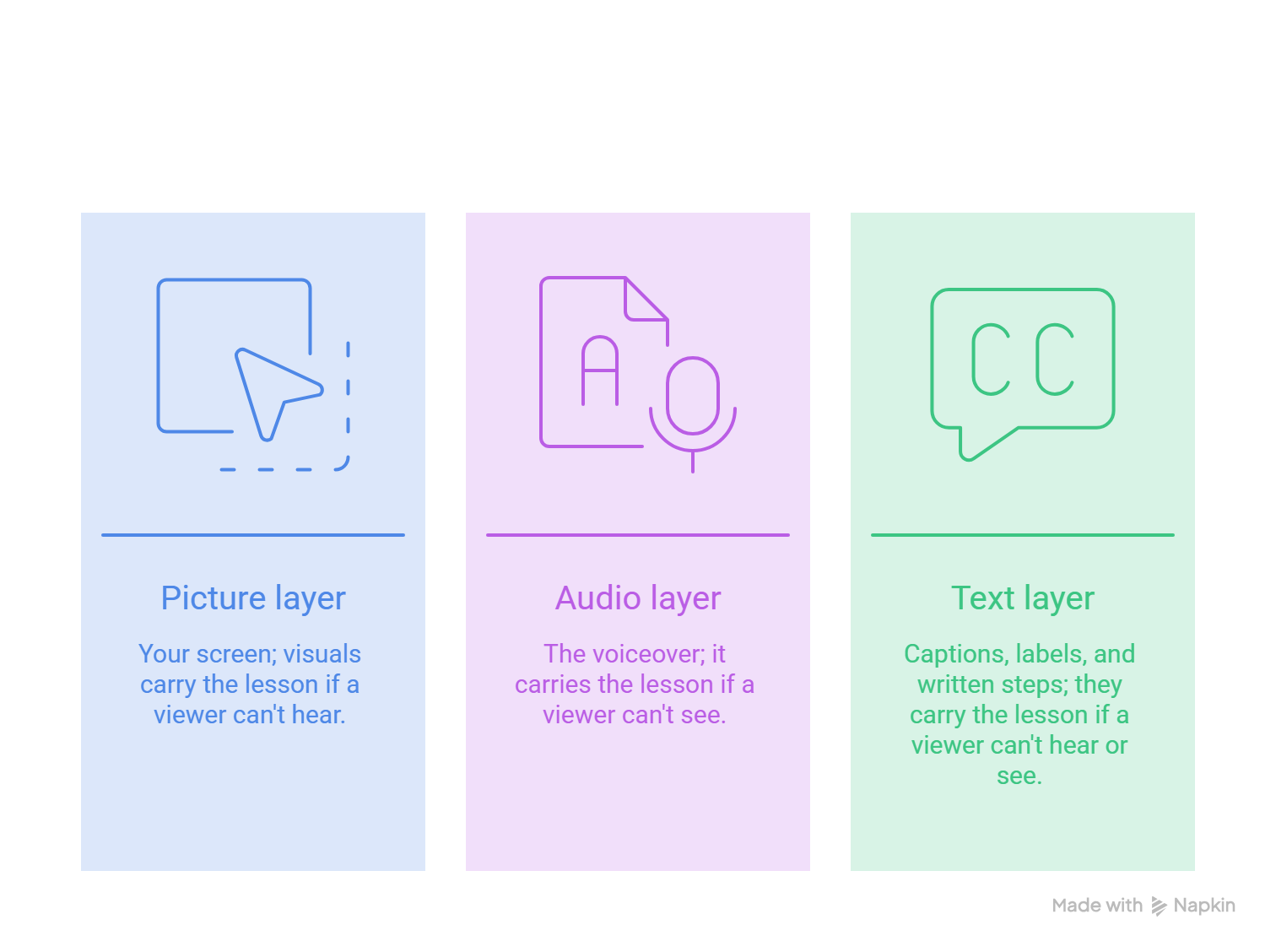
Every software walkthrough has three layers: the picture (your screen), the audio (the voiceover), and the text (captions, labels, and written steps). Accessible product videos let one layer cover for another. If a viewer can't hear, text and visuals carry the lesson. If they can't see, the voiceover and written steps do.
WCAG 2.2, the current W3C standard, says much the same for recorded video. It asks for captions, plus a way to get the visual information. At Level A, that can be audio description or a full text alternative. Level AA asks for audio description, with a handy exception: if your narration already explains what happens on screen, you don't need a separate description. These video criteria are the same in WCAG 2.1.
Here's my one rule. Never let the voiceover say "click here." Here where? Say "select the Export button in the top right." That one habit fixes more problems than any tool.
How should product video captions be reviewed?
Treat auto captions as a rough draft. They struggle with product names, and software videos are full of them. Review in three passes:
- Accuracy. Read the captions against the audio and fix wrong words.
- Terms. Match every product name and UI label to how it looks on screen, capital letters included.
- Timing. Each caption should appear when the words are spoken and stay long enough to read.
For format, the DCMP Captioning Key suggests two lines at most and about 32 characters per line. With a single narrator, you can skip speaker labels. Keep sounds that matter, like an error alert.
Here's a corrected caption:
That's four fixes in one sentence: the brand name, "sink" to "sync", the capital, and a clean line break. For general caption basics, see this Related guide.
How do you create a sound-off product video?
Plenty of people watch on mute. A 2019 Verizon Media and Publicis Media survey found 69% of people watch video with the sound off in public places, and 25% do even in private. It's a US consumer survey, so treat it as a hint about habits, not proof about your buyers.
To make a sound-off product video, let the screen explain the task:
- Add a short step banner for each action, like "Step 2: Pick a template."
- Highlight the click so viewers see where the cursor lands.
- Zoom into small controls, and keep your text out of the caption area.
Then run the muted test. Play it with the sound off. Could someone new to the product finish the task? If not, add text where they got lost.
Here's how this fits a PuppyDog workflow (illustrative). Start with a screen recording you've approved. The AI product video maker turns it into a product video with a script, a voiceover, and generated callouts. Read the script and narration, swap vague lines like "click here" for real button names, then do your muted test.
How do you test UI video readability?
Your laptop isn't your viewer's screen. Test on the sizes people really use.
- Export the final video. Compression can blur small text, so skip the project file.
- Play it full screen on desktop, then in a small window.
- Play it on your phone at normal reading distance.
- Mark anything you have to squint at.
- Fix each mark with a zoom, a crop, or a written step.
A zoom works when one small area matters, like a status badge or a dropdown. A written alternative works when the screen is dense, like a settings page with dozens of fields. If viewers must pinch-zoom to follow along, you've asked too much.
For contrast, WCAG's 4.5:1 ratio for normal text is a handy yardstick. Check one exported frame with a free contrast checker.
What should a product video text alternative include?
A transcript alone isn't enough. It records what the narrator said, not what the viewer should see. W3C describes a media alternative as a full text version that covers the visuals, sounds, and dialogue together.
For a walkthrough, include:
- The goal of the task, in one line
- Numbered steps with the exact button and field names
- Where each control sits, like "top right" or "left menu"
- What changes on screen after each key step
- Anything shown only visually, like a chart or a color change
Here's a sample :
Goal: Create a new project.
- In the top right corner, select the blue New Project button.
- In the Create Project window, type Q3 Campaign in the Project Name field.
- Open the Template menu and choose Agile Kanban.
- Select Create.
Result: The window closes. The new board opens with three columns: To Do, In Progress, and Done.
How do you run a video accessibility review?
Review by task, not by feature. For each viewing situation, ask one question: can a person finish the task? Here's a starter checklist:
- Captions match the voice, and product names match the screen.
- Caption lines are short and stay up long enough to read.
- The task works with the sound off.
- Small UI is zoomed in or explained in text.
- The voiceover names buttons instead of saying "here."
- Written steps match what the video shows.
- Play, pause, and captions work from a keyboard on the page that hosts the video.
If you can, show the video to real people: a deaf or hard-of-hearing viewer, a screen reader user, someone on a phone with no sound. Even one muted phone test beats none.
Know what this is. A practical review catches problems before you publish. It isn't a formal compliance audit or a certification. A formal WCAG claim names the version, level, date, and pages covered, and it checks the video player too. If you need that, bring in a specialist.
FAQs
Are captions alone enough for an accessible product video?
No. Captions cover the sound, not the picture. A blind or low-vision viewer also needs to know what is happening on screen. Narration that names every click can do that, or you can add audio description or written steps.
How do I explain a cursor action to someone who cannot see it?
Describe the goal, the label, and the result. Skip the pixel path. Say "Select the Export button in the top right to open the download menu," not "the arrow moves across the screen to a gray square."
Should every walkthrough have written steps?
Any walkthrough that teaches a task should. Written steps give blind users, skimmers, and people on slow connections the same lesson, and they count as a text alternative. A ten-second teaser can skip them.
Can I claim compliance based only on an AI-generated caption file?
No. An auto caption is a draft, and a caption file is only one piece of the puzzle. Review it, fix names and timing, then say your video is "captioned and reviewed." Leave the word "compliant" to a formal audit.
Next step
Pick one walkthrough and build product video accessibility into it from the first draft. Record the task, write the steps in plain words, and run the muted test before you publish. PuppyDog turns an approved screen recording into a professional product video without a production team. See how on the Product video creation page, then run the checks above to create a clear walkthrough.

Sarah Thompson is a storyteller at heart and Business Developer at PuppyDog.io. She’s passionate about creating meaningful content that connects people with ideas, especially where technology and creativity meet.


