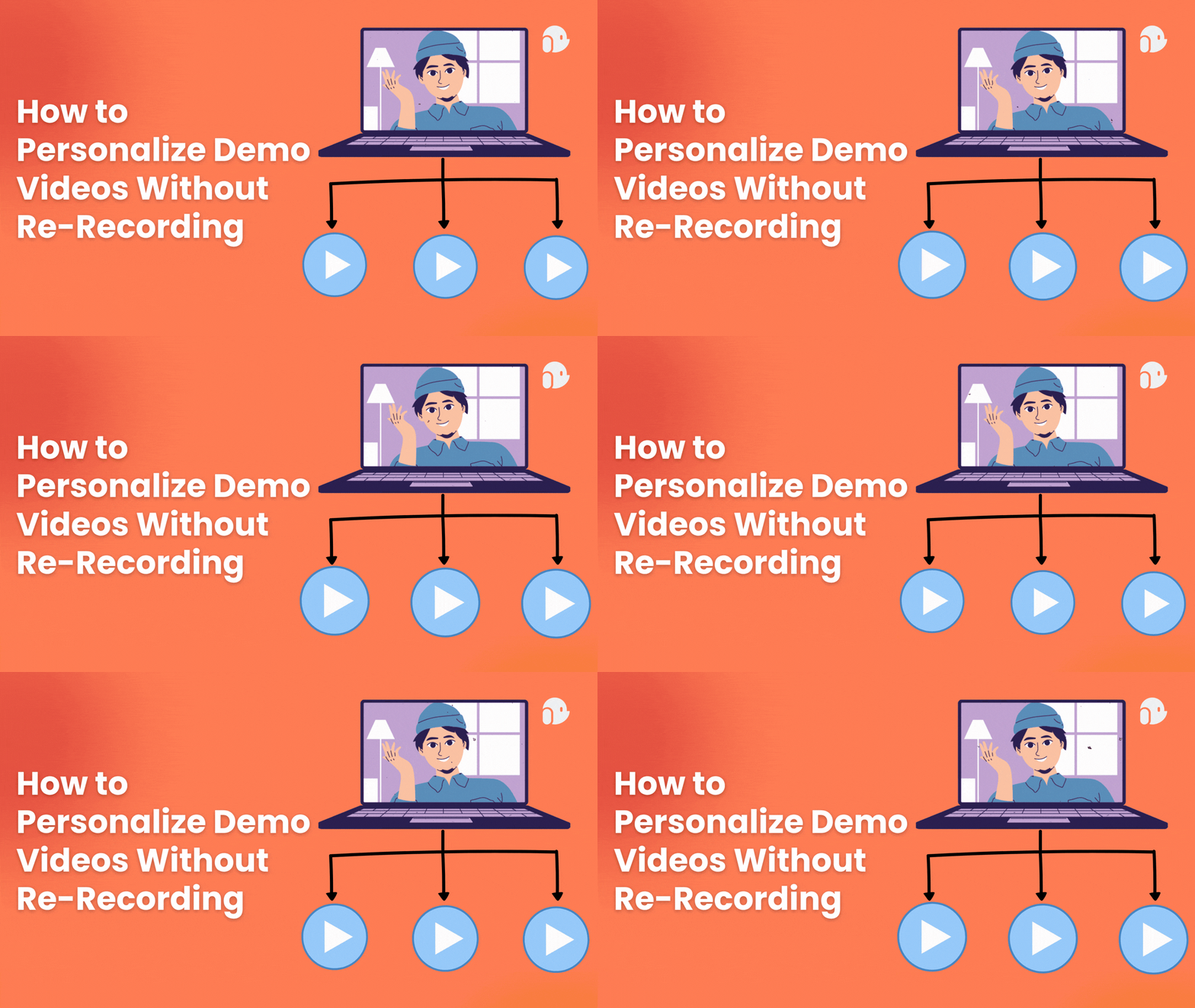
How to Personalize Demo Videos Without Re-Recording

Here is some quick, slightly depressing math. If you're recording a custom demo video for 40 prospects this month, and each one takes even a conservative 8 minutes to research, record, review, and send, that's over five hours gone. Now stretch that across a quarter. You've lost the better part of a work week to something that, at its core, is the same 15 minutes of product footage wearing 40 different name tags.
Here's the good news: you don't have to keep doing this. Record your demo once, and swap out the variable layers name, logo, screens, script for every recipient. No re-recording. No burnout. Just one clean master video and a system that personalizes the rest.
That's the whole idea behind modern video personalization software, and if you're an AE, SE, or founder who's currently living inside Loom trying to make "just one more custom demo" work, this guide is for you.
Why Re-Recording Every Demo Doesn't Scale
Let's be honest: manual demo personalization was never designed to scale. It was designed to feel thoughtful, one prospect at a time. The problem is that "thoughtful" and "scalable" tend to pull in opposite directions.
The math isn't kind here. A single manual video, the kind where you research the prospect, hit record, review the footage, trim the awkward pause where you forgot their company name, and finally attach it to an email, eats up somewhere between 3 and 8 minutes per prospect once you account for the whole workflow, not just the recording itself. That doesn't sound like much until you're doing it 20 or 30 times a day, at which point it's competing directly with the things that actually move deals forward: live calls, multi-threading, discovery.
And here's the part that stings: even after all that effort, most generic, meaning non-personalized, demo videos lose a huge chunk of viewers in the first 30 to 60 seconds. Cold prospects decide almost instantly whether a video is "for them" or just another mass-blast. If it doesn't feel personal within the first few seconds, they're gone before you've even gotten to the good part.
This is the trap of sales demo personalization done manually: the effort required to make one video feel custom is exactly what makes doing it at volume impossible. Something has to give, and it shouldn't be your calendar.
The 5 Layers You Can Personalize Without Re-Recording
Here's the mental shift that makes this click: you don't need a different video for every prospect. You need one video with the right layers built to swap.
Think of your master recording as a stage set. The furniture stays the same, but the props, the signage, the lighting, all of that can change scene to scene. In demo video terms, that breaks down into five layers:
- Dynamic intro: the prospect's name, their company, spoken aloud (via AI voice or avatar) as if you recorded it just for them.
- On-screen data swaps: their logo, their CRM data, or synthetic data mimicking their actual workflow inside the product UI.
- Branded wrapper: a landing page, color palette, and custom domain that feels like it belongs to your prospect's world, not a generic vendor template.
- Conditional chapters: modules that show or hide depending on the viewer's persona, industry, or where they are in the funnel. A CFO doesn't need to sit through the feature you built for ops managers.
- CTA and next step: a calendar link, a pricing tier, or the name of their actual account exec, all rendered dynamically at the end.
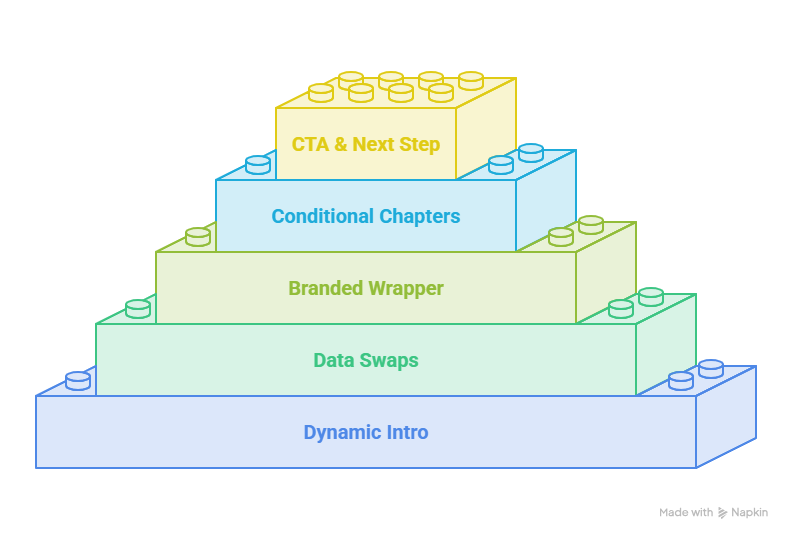
Swap those five layers and the video feels bespoke, even though the underlying footage never changed. This is, frankly, the entire trick, and once you see it, you can't unsee how much wasted effort goes into recording the same demo forty separate times.
What Is Video Personalization Software (and How Does It Work)?
Video personalization software is a category of sales enablement tools built to generate individualized video messages at scale, by merging variable data names, company websites, and CRM fields with a single master video template, AI-generated voice or avatar, and dynamic visual layers.
Under the hood, it works a lot like an email mail-merge, except instead of {{First Name}} dropping into a subject line, it's dropping into a spoken sentence, an on-screen graphic, or a live rendering of the prospect's own data inside your product interface. You upload a data source a CSV or a live CRM connection- map the fields to your video's variable tokens, and the system batch-renders a personalized asset for every row in seconds.
This is different, importantly, from just recording faster. It's not about shaving time off manual recording. It's removing manual recording from the equation entirely for everything after the first master take.
Personalized Video vs. Interactive Demo, Which Do You Actually Need?
This is where a lot of teams get stuck, understandably, because the tools all live in the same "demo" conversation even though they solve different problems.
Personalized video is passive. The prospect hits play and watches. No clicking, no navigating, just a tailored message landing in their inbox. It's built for reach and for the earliest, coldest stage of outreach, when a prospect hasn't earned (or wanted) five minutes of active engagement yet.
Interactive demos are active. The prospect clicks through a simulated version of your product themselves, at their own pace, usually further along in the buying process when they're actually evaluating fit.
Here's how the category breaks down:
None of these tools are "wrong". They're just built for different jobs. Loom is fantastic if you're recording one video for one person and want it out the door in under a minute. Storylane and Arcade shine when a prospect is ready to self-navigate your actual product. Consensus is built for the long, multi-touch enterprise sales cycle where a whole buying committee needs to consume content asynchronously.
Where this gets interesting is when you need personalization and scale at the same time, which is the gap most video tools weren't built to close. That's the specific problem AI-driven platforms like Puppydog are solving: not "record a demo," but "generate hundreds of individually relevant ones, automatically, from footage you already have."
How to Set It Up in 6 Steps
You might be wondering how much technical lift this actually takes. Less than you'd think. Here's the general flow, using Puppydog as the reference point since it's built specifically to automate this end-to-end.
1. Capture Your Raw Footage
Use a screen recorder. Puppydog's Chrome extension works well here. to grab your product walkthrough, or start from screenshots if you don't have footage yet.
2. Let AI Generate the Script and Voice
Instead of writing narration yourself, Puppydog's AI agents learn your product and generate scripts, on-screen text, and voiceover or avatar narration automatically. You don't have to record a single line yourself.
3. Populate Demo Environments with Synthetic Data
For security and privacy, synthetic data stands in for real customer data inside your product UI so nothing sensitive ever appears on screen.
4. Map Your Variable Fields
Connect a CSV or your CRM so the system knows which prospect gets which name, logo, industry vertical, or feature-adoption data.
5. Generate at Scale
Instead of one video, the platform builds a personalized playlist per customer or prospect tailored not just by name, but by their actual usage patterns and feature-adoption gaps.
6. Track Engagement Per Viewer
Once videos are live, monitor watch-through, drop-off points, and clicks so you know what's actually landing, and what needs a rewrite.
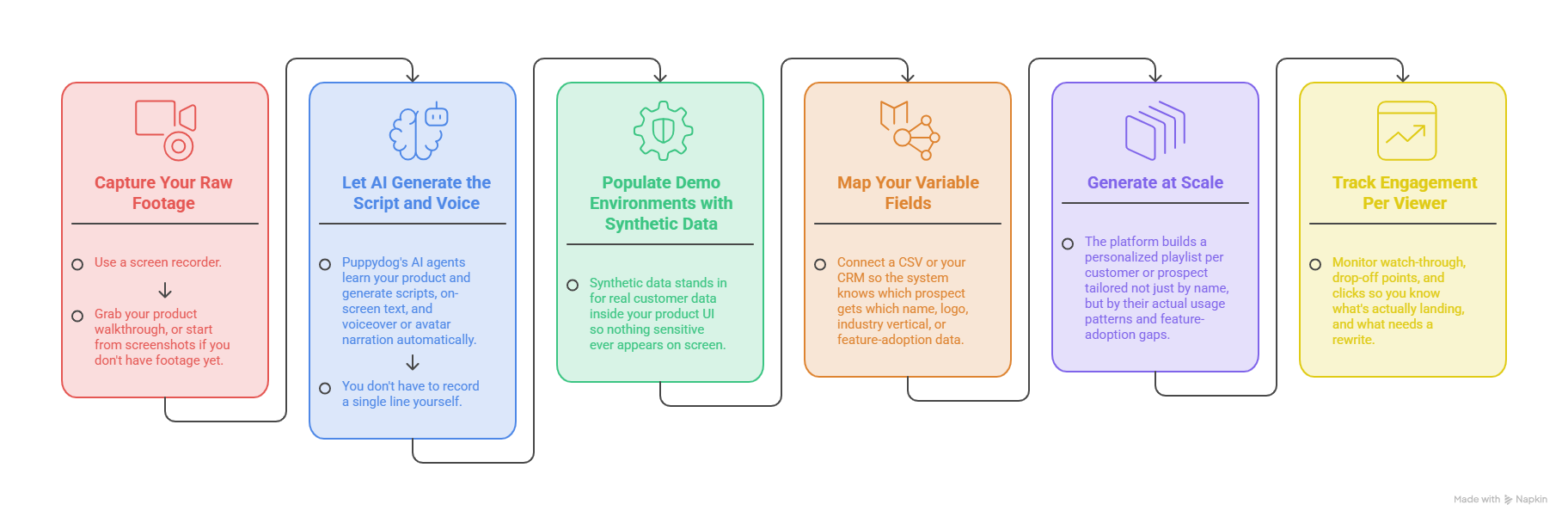
The part worth sitting with here is step 5. Most "personalization" tools stop at swapping a name and a logo. Puppydog's positioning goes a layer deeper, using AI to understand where a specific customer is in their adoption journey and building a video playlist around that, not just a single generic asset with their name stapled on top.
How to Measure Whether Personalization Actually Worked
Personalization is only worth the setup if it moves numbers. Here's what to actually track, and roughly where the bar sits.
Reply Rate
Cold, text-only outreach typically lands somewhere around 1–3%. Personalized video tends to outperform that, commonly cited in the 3–8% range on cold lists, and considerably higher on tightly targeted ABM segments.
Watch-Through Rate
A healthy benchmark to aim for is somewhere north of 60%. If you're seeing steep drop-off in the first 10 seconds, that's usually a thumbnail or opening-hook problem, not a content problem.
Demo-to-Meeting Conversion
This is the number that actually matters to your pipeline. Track it against your baseline before rolling personalization out, not against an industry number pulled from someone else's funnel every sales motion is different enough that your own before-and-after is the only comparison that really counts.
One honest caveat, since we're being real with each other here: benchmarks like these vary a lot by industry, deal size, and list quality. Use them as a sanity check, not gospel. If your numbers are close, you're doing fine. If they're wildly off, that's the signal to dig into your thumbnail, your opening line, or your targeting, usually in that order.
Frequently Asked Questions
Can you personalize a demo video without re-recording it?
Yes. Record a single master video once, then use variable data layers, name, logo, screens, script, to generate individualized versions automatically, without touching a camera or microphone again.
How long does it take to personalize one demo video?
Manual re-recording takes roughly 3 to 8 minutes per prospect once you count research, recording, and review. Automated personalization software renders each version in seconds once your master video and data source are set up.
Does personalized video actually increase reply rates?
Generally, yes. Text-only cold email tends to convert around 1–3%, while personalized video outreach commonly performs in the 3–8% range on cold lists, and considerably higher on well-targeted account-based segments.
What's the difference between a personalized video and an interactive demo?
Personalized video is passive — the prospect watches. Interactive demos are active. The prospect clicks through a simulated product experience themselves. Video suits early, cold outreach; interactive demos suit prospects already evaluating fit.
Can you personalize demo videos in bulk from a CRM or CSV?
Yes, this is standard functionality in modern video personalization platforms. Upload a CSV or connect your CRM, map your variable fields, and the system batch-generates a personalized video for every row automatically.
Do personalized videos work for enterprise deals or only SMB?
Both, though the use case shifts. In SMB and PLG motions, bulk personalized video drives high-volume outbound and onboarding. In enterprise deals, personalized video supports executive recaps, champion enablement, and asynchronous content for multi-stakeholder buying committees who can't all make the same call.
The Bottom Line
Re-recording the same demo forty different ways was never actually a personalization strategy it was a bottleneck wearing a nice outfit. The teams pulling ahead right now aren't the ones working harder at manual video. They're the ones who recorded once, built the right variable layers, and let AI handle the rest, turning a single walkthrough into hundreds of demos that each feel like they were made for one person, because in every way that matters, they were.
If you're still burning hours re-recording the same pitch with a different name stapled on top, it might be time to see what that hour looks like when it's compressed into seconds. Puppydog was built exactly for this. Take a look at how it works, or start a trial and personalize your first playlist today.

Sarah Thompson is a storyteller at heart and Business Developer at PuppyDog.io. She’s passionate about creating meaningful content that connects people with ideas, especially where technology and creativity meet.