How to Measure AI Video Production ROI: Time Saved, Rework, and Cost per Approved Video


To measure AI video production ROI, compare what it costs to make one approved video before and after you switch. Count labor hours, tool fees, review time, and rework, then divide by the number of approved videos. Keep this production return apart from campaign revenue. Your wider video marketing ROI is a separate report.
What should AI video production ROI measure?
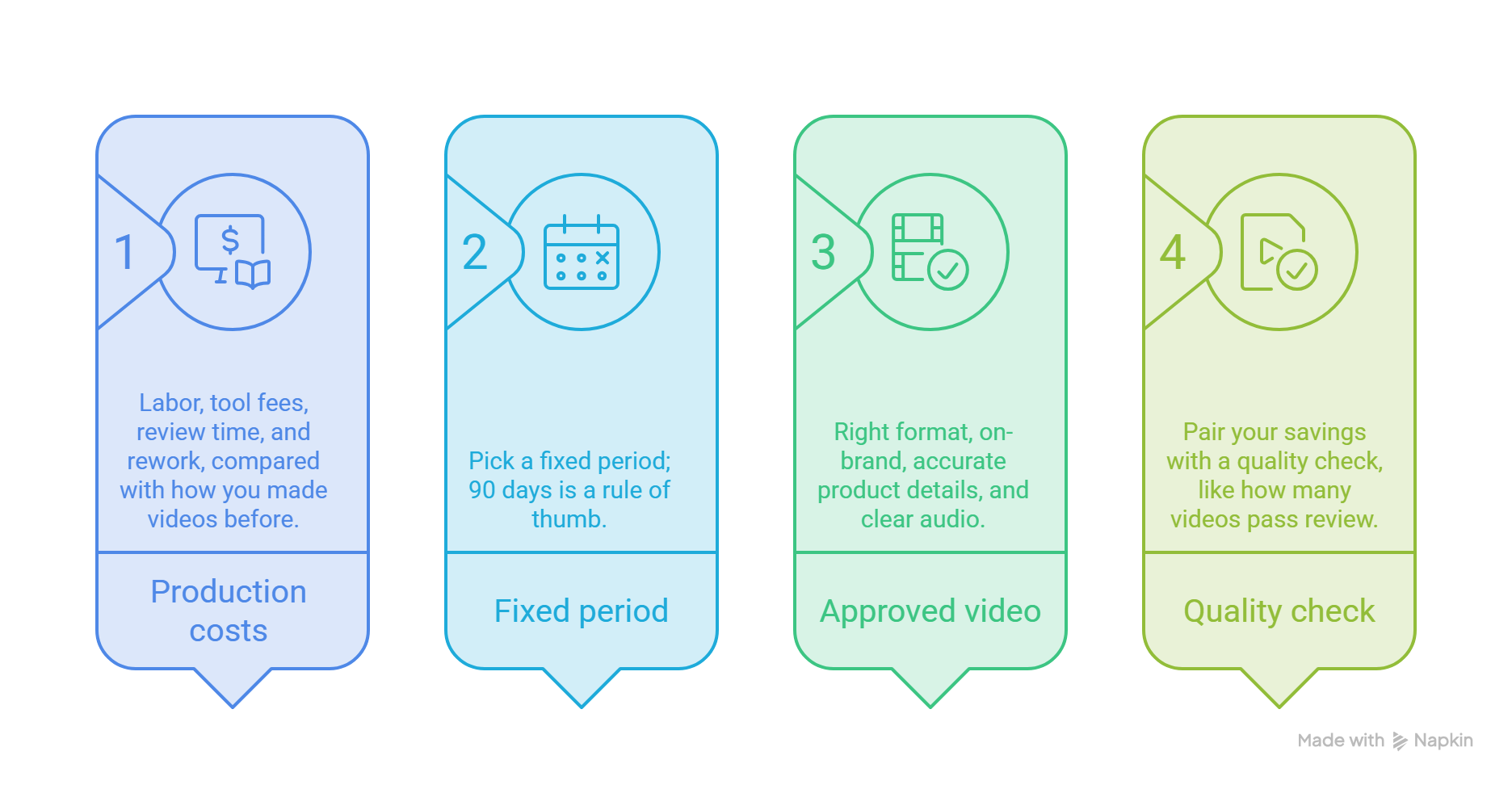
Measure what it costs you to produce video, and nothing else. That means labor, tool fees, review time, and rework, compared with how you made videos before. This is operational ROI.
Ad spend, audience, and timing all change campaign results, so they muddy a production number. For the sales side, read the Related guide on sales demo ROI.
Set two rules before you start. First, pick a fixed period. I like 90 days, since a new tool needs a few weeks before the numbers settle. That's a rule of thumb, not a study. Second, define "approved": right format, on-brand, accurate product details, and clear audio.
Gartner predicts that by 2028, only 10% of CMOs who focus on time savings over business outcomes will secure the budget they need. So pair your savings with a quality check, like how many videos pass review.
How do you measure video production time savings?
Time the same jobs both ways. For each video, log prep and scripting, recording or capture, editing, review, and revisions. Do this for three to five videos in each workflow, then use the averages.
No old logs? Use timesheets as a rough baseline, or time your next manual video. A rough number beats no number.
The AI workflow has different steps. With an AI product video maker like PuppyDog, you give it approved source assets, such as a screen recording, and it builds the product video with a script and narration that your team reviews.
Time saved = manual hours per approved video minus AI hours per approved video. Leave out machine render time, since nobody is working while it runs. And skip vendor speed claims. They show how fast a draft appears, not how long your team takes to approve it.
How do you calculate cost per approved video?
Cost per approved video = (labor hours × loaded hourly rate + allocated tool cost) ÷ approved videos.
"Loaded" means wages plus benefits and taxes. Plain wages understate your cost. In June 2026, benefits made up 30% of employer compensation costs for private industry workers, according to the BLS. That is about 43 cents extra for every wage dollar. If your HR team has its own number, use that.
Shared subscriptions are the tricky part. You have three simple options:
- Monthly fee divided by approved videos that month. Easy, but it jumps when volume drops.
- Annual fee divided by expected videos for the year. Smoother.
- A split by usage, like credits used, if the tool charges that way or several teams share it.
Pick one, write it down, and keep it for the whole test.
How should video rework cost be included?
Give rework its own lines. Track failed drafts, correction hours, extra render credits, and waiting time. Waiting isn't labor, so track it as days from approval request, apart from your cost math.
Generation time alone is misleading. Say a draft shows up in two minutes but needs three hours of fixes. That is a three-hour video, no matter how fast the first draft was.
The key number is your first-pass rate: videos approved with no rework, divided by videos started. If 18 of 20 pass the first time, your rate is 90%.
Rework cost = rework hours × loaded rate + extra credits.
What does an AI video ROI example look like?
Here is a made-up example with round numbers. It is not a customer result, so swap in your own figures.
Example
Say your team needs 20 approved videos a month at a loaded rate of $60 an hour. The manual way takes 16 hours per video: 4 for prep, 10 for recording and editing, and 2 for review. The AI way takes 1.5 hours: 0.5 for setup, 0.2 for capture, and 0.8 for review.
Monthly savings are $20,560 − $3,220 = $17,340, or 304 hours. ROI is savings divided by AI cost: $17,340 ÷ $3,220, about 539%.
That percentage looks huge because the manual numbers are heavy. Honestly, I'd lead with cost per approved video and hours per video when you share results.
Blank template
How do you build a video production budget case?
Keep it to one page and four parts. State your cost per approved video today and with AI. Show the hours saved. Show your quality checks, like first-pass rate and approved video count. Then list what your team still does, such as choosing source assets and reviewing every video.
Add one outcome line, too. Budget owners want results, not only saved hours. Good picks are videos shipped per month, or days between a product change and an updated video.
Say where the saved hours will go. "Free time" is easy to cut from a budget. "Two more feature videos a month" is not.
The safest way to get real numbers is a small pilot. Pick one product area and run it for 30 to 90 days. Use the same quality checklist for every video, and log hours for both workflows. Then your case rests on your own data, not on a vendor's promise.
FAQs
Should AI video ROI include employee review time?
Yes. Review is real work, and leaving it out makes the tool look cheaper than it is. If you can't time every check, time five of them and use the average.
How do I allocate a monthly subscription across videos?
Pick one method and stick with it. Divide the monthly fee by approved videos that month, divide the annual fee by expected yearly volume, or split by usage if several teams share the plan.
Can production savings be measured without conversion data?
Yes. Production savings come from your own hours and costs, so you don't need views, leads or sales to calculate them. Conversion data answers a different question: did the videos work?
What is the difference between operational ROI and campaign ROI?
Operational ROI tracks how efficiently you make videos: hours, tool costs, and rework. Campaign ROI tracks what the videos help you earn, such as leads or sales. Both belong in your video marketing ROI picture, but keep them in separate reports.
Next step
Ready to test this? Pick one product feature, run a 30- to 90-day pilot and fill in the template with your real hours. To see how a product video comes together from a screen recording, explore Product video creation. PuppyDog builds professional product videos without a production team, and your team reviews the script and narration before anything goes out. Do that, and you will have a production cost number you can defend next to your video marketing ROI.

Sarah Thompson is a storyteller at heart and Business Developer at PuppyDog.io. She’s passionate about creating meaningful content that connects people with ideas, especially where technology and creativity meet.


