30-Second Product Video Script Templates for SaaS Feature Spotlights

A product video script for a 30-second feature spotlight needs three parts: a hook that names one problem, a proof scene that shows one real action in your product, and one call to action. Aim for about 65 to 70 spoken words, then read the script aloud with a stopwatch to confirm the timing.
What belongs in a 30-second product video script?
Three things: a hook, a proof scene, and a call to action. Thirty seconds is short, so every extra sentence pushes something useful out.
Here is the split I use. It's my own template, not an industry rule.
- Hook, 0 to 5 seconds (12 to 14 words): name one problem.
- Proof, 5 to 22 seconds (about 40 words): show one real action.
- CTA, 22 to 30 seconds (about 13 words): give one next step.
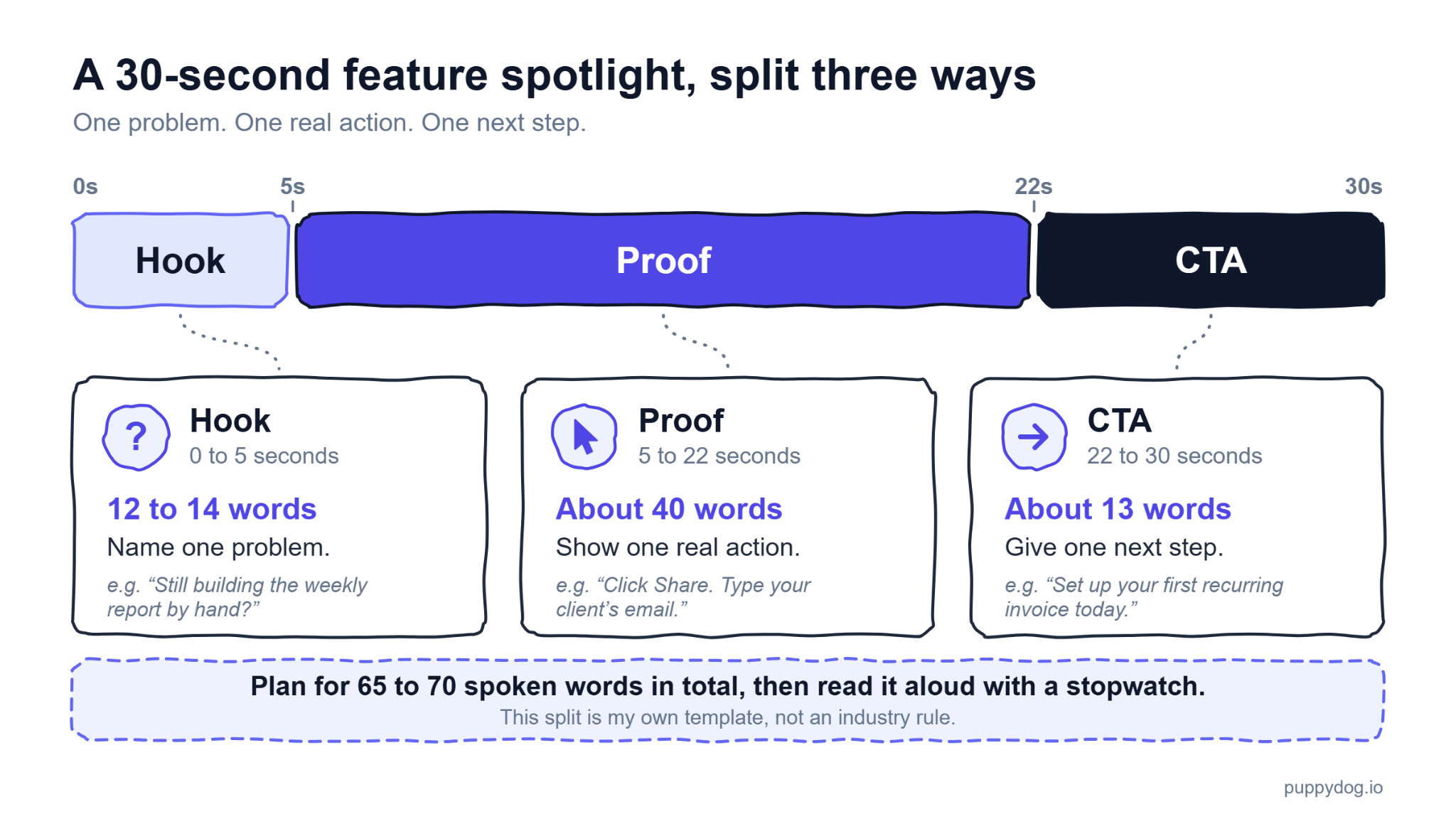
Now the math. Conversation runs near 150 words per minute, a figure VirtualSpeech attributes to the National Center for Voice and Speech. That puts 30 seconds at 75 words. Clicks and breaths take time too, so I trim about 10 percent and plan for 65 to 70.
Don't trust the math alone. Read the narration aloud with a stopwatch, or render the voiceover and check its length. A word counter doesn't know how long you pause after a click.
For longer scripts with pause points, see this Related guide.
How do you write a feature spotlight script?
Start with one user problem and one action you can see on screen. If you can't point to the click, the idea isn't ready.
Below are three illustrative templates for a made-up invoicing app. They are examples, not tested results, and none has been timed with a stopwatch. Read each one aloud before you reuse it.
Template 1: Feature benefit (65 spoken words)
- 0 to 5 seconds, hook: "Still retyping the same invoice for the same client every month? You can stop."
- 5 to 22 seconds, proof: "Open last month's invoice and click Make recurring. Pick monthly, choose the send date, and save. From now on, the app creates and sends each invoice for you. The next three send dates appear right on the screen." On screen: cursor on Make recurring, then the date picker.
- 22 to 30 seconds, CTA: "Set up your first recurring invoice today. The link is on your screen." On screen: a button matching the spoken link.
Template 2: Task (64 spoken words)
- 0 to 5 seconds, hook: "Need to send a client report without exporting a file? It takes three clicks."
- 5 to 22 seconds, proof: "Click Share. Type your client's email. Choose View only so they can't change anything, then press Send. The client gets a link right away. Back in the report, you can see when they open it." On screen: each click shown as it's spoken.
- 22 to 30 seconds, CTA: "Share your next client report this way. Open the Reports tab and try it now."
Template 3: Objection (66 spoken words)
- 0 to 5 seconds, hook: "Think switching tools means weeks of setup? Watch a full customer list move in."
- 5 to 22 seconds, proof: "Upload your customer list as a CSV file. The app matches each column to the right field for you. Check the preview, fix any flagged rows, and click Import. Your list is ready to use in the same session." On screen: the upload, the preview, then Import.
- 22 to 30 seconds, CTA: "Try it with a small test list first. You'll find Import under Settings."
If it’s me, I'd try the objection template first. It answers a worry your viewer may never say out loud.
How do you write a product video hook script?
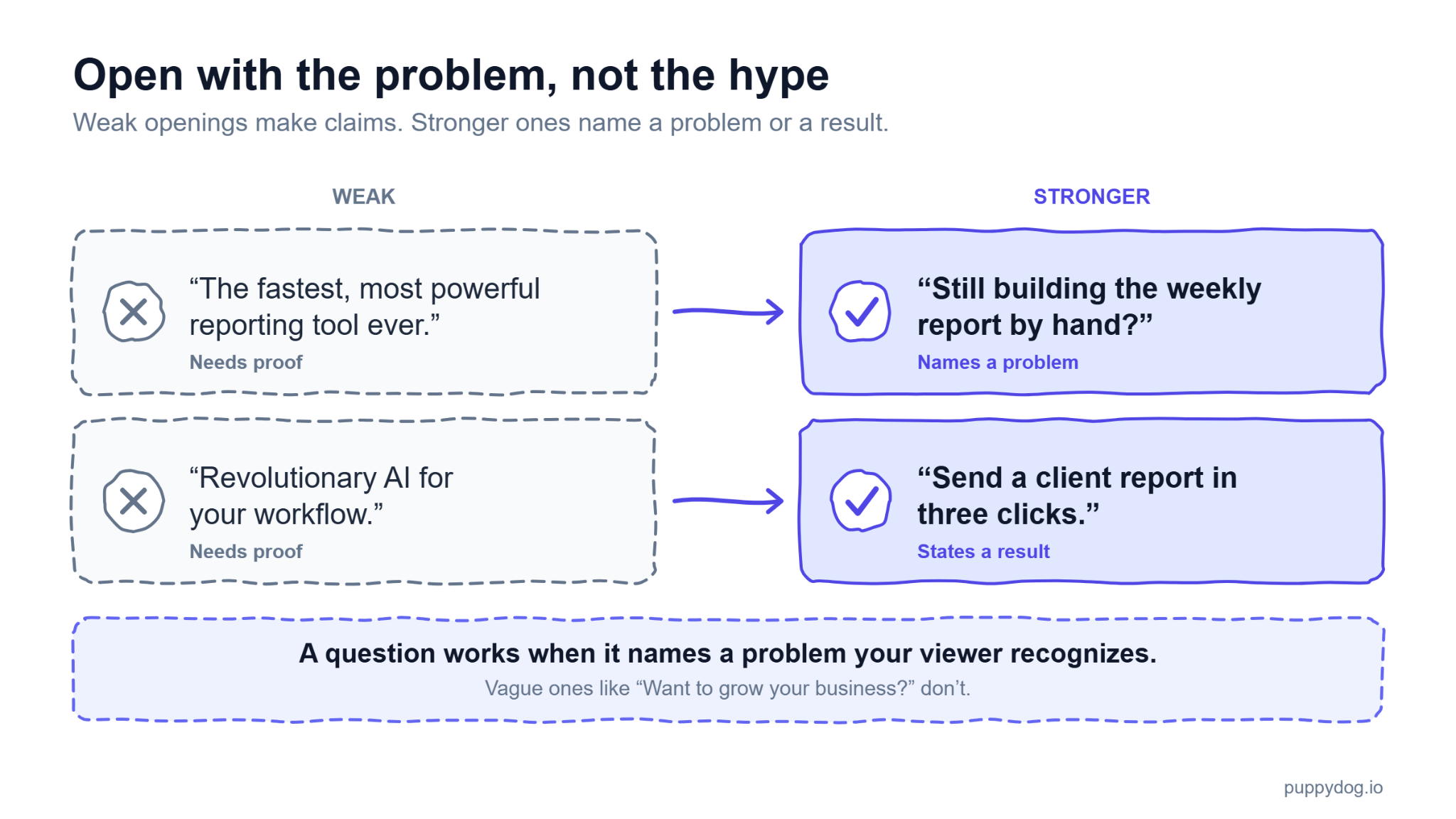
Open with the viewer's problem, not your logo. Skip "Hi, welcome to..." and lead with something they already care about.
- Weak: "The fastest, most powerful reporting tool ever." Stronger: "Still building the weekly report by hand?"
- Weak: "Revolutionary AI for your workflow." Stronger: "Send a client report in three clicks."
Words like fastest and revolutionary are claims you have to prove. If you can't, cut them. A 1997 Nielsen Norman Group study found that objective writing scored 27 percent higher on usability than promotional copy. It tested web pages, not video.
A question works when it names a problem your viewer recognizes, like the invoice one above. It fails when it's vague, such as "Want to grow your business?" Nobody feels seen by that.
What should the product video proof scene show?
The real product, doing the thing you just said. If the narration says "click Share," the viewer should see the cursor click Share at that moment. Every claim in this scene needs a matching action on screen.
Stock footage can't do that job. A smiling person at a laptop sets a mood, but it proves nothing about your feature.
My checklist: record the actual product, zoom in on the part that matters, and use clean sample data with notifications off. In PuppyDog, you can refine the AI-generated transcript after recording, so the words match each click.
How do you write a short video CTA script?
Give one next step, and make the spoken line match the button or link on screen. Three asks in a row, like "visit our site, follow us, book a demo," can leave viewers unsure what to do.
It depends on who is watching:
- Existing users: "Turn on recurring invoices in Settings."
- Prospective buyers: "See it with your own invoices. The link is on your screen."
Wistia's 2024 data on 36,000+ video CTAs (published April 2026) found that clickable CTAs on videos under a minute worked best in the first quarter. That covers buttons inside a player, not spoken lines, so my closing CTA is a design choice. If your player allows it, show an on-screen link early too.
How do you run an AI product script review?
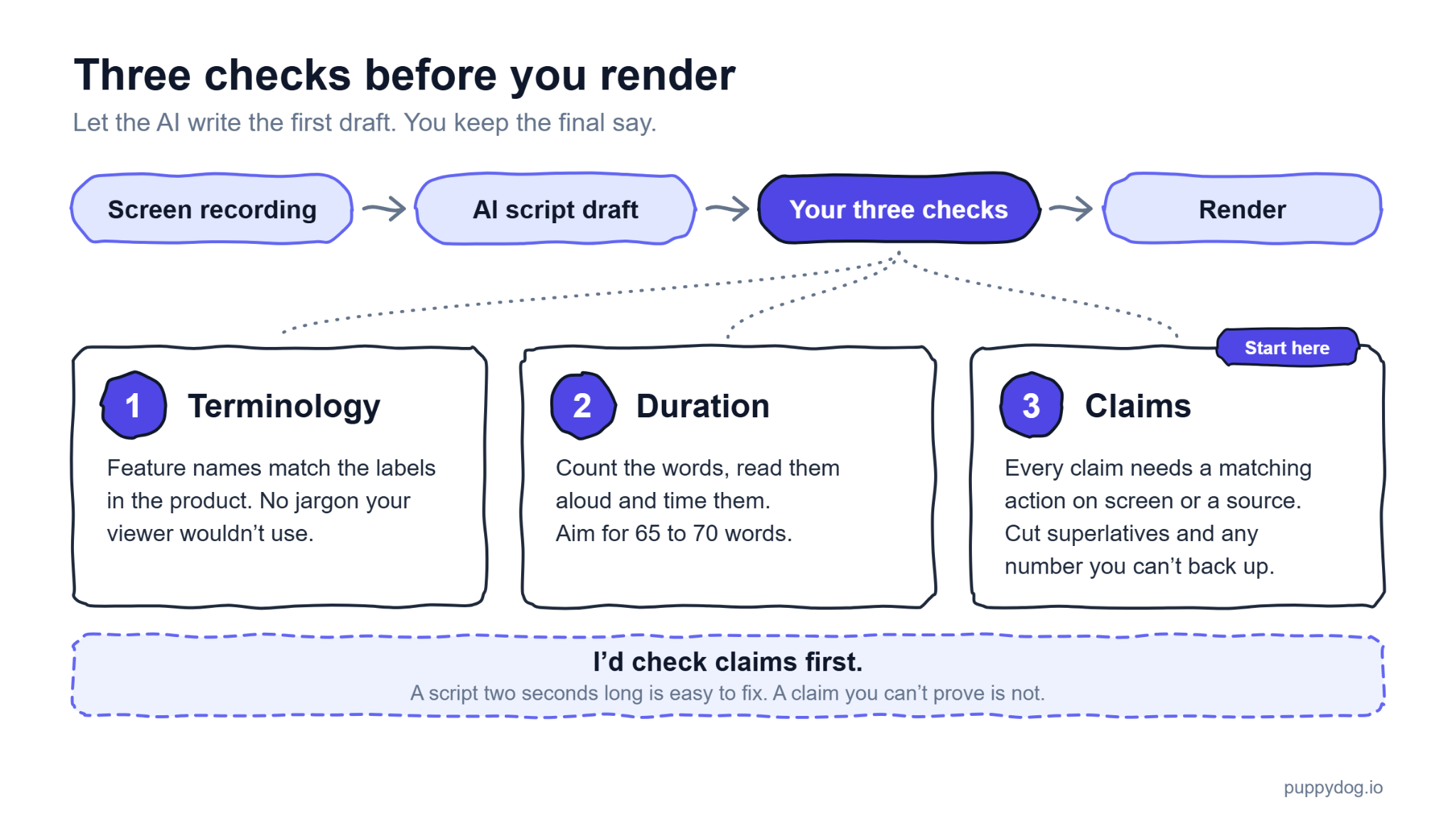
Let the AI write the first draft, and keep the final say for yourself. In PuppyDog's AI product video maker, you start with a screen recording, the AI turns it into a script, and you refine the transcript, add your branding, and perfect the message.
Run three checks before you render:
- Terminology: feature names match the labels in the product, with no jargon your viewer wouldn't use.
- Duration: count the words, read them aloud, and time them. Aim for 65 to 70.
- Claims: every claim needs a matching action on screen or a source. Cut superlatives and any number you can't back up.
I'd check claims first. A script two seconds long is easy to fix. A claim you can't prove is not. This review is what turns an AI draft into a professional product video without a production team.
Frequently asked questions
How many words fit into a 30-second feature video?
About 65 to 70 at a natural pace. Speech at 150 words per minute would give you 75, but clicks and pauses use up time.
Should a short product video include pricing?
Usually not. There's no room for it. Nielsen Norman Group's B2B trust guidance says to show prices or pricing scenarios on your site, so send viewers to your pricing page.
Can I use the same script for customers and prospects?
Reuse the proof scene, but write a new hook and CTA. Customers need no introduction and a step like "turn it on in Settings." Prospects need the problem and a low-risk first step. That's my view, not a tested rule.
How do I make an AI-written script sound natural?
Read it aloud and rewrite any line you wouldn't say. Use contractions, split long sentences and drop words like "revolutionary."
Try AI scripts on your next feature video
Pick one feature and one problem. Record it, let the AI draft your product video script, then run the three checks above. Product video creation in PuppyDog is a good place to start. It turns that first draft into a finished video with no production team.

Sarah Thompson is a storyteller at heart and Business Developer at PuppyDog.io. She’s passionate about creating meaningful content that connects people with ideas, especially where technology and creativity meet.