Best 8 Descript Alternatives in 2026


Honestly, if you’re still editing video the same way you did a few years ago, you’re probably wasting time you don’t have. By 2026, the editing world will have quietly shifted from dragging clips around a timeline to something far more intuitive: editing by text. Descript helped popularize that idea. But as more creators, marketers, podcasters, and product teams pushed it to its limits, the cracks started to show: heavy system demands, occasional transcription hiccups, and workflows that don’t always scale.
That’s exactly why the market for Descript alternatives has exploded.
Today’s best tools aren’t just “like Descript.” They’re faster, more specialized, and depending on your use case, often better. Some focus on studio-quality recording or AI screen recording. Others are built for viral social clips, enterprise training, research, or even personalized sales demos. In short, text-based video editing tools have grown up. And now the real question isn’t “What replaces Descript?” but “Which alternative actually fits the way I work?”
You might be a podcaster trying to edit episodes in minutes instead of hours, or someone actively searching for the best free Descript alternative or a reliable Descript alternative for Mac that actually fits your workflow. A SaaS marketer who needs personalized demo videos without hiring an editor. Or a content creator repurposing long videos into short-form social clips at scale. Whatever your role, one-size-fits-all software just doesn’t cut it anymore.
This guide breaks down the best Descript alternatives in 2026, not in theory, but in practical, real-world terms.
Here’s what you’ll get in this article:
- A quick verdict on which tools are worth your time (and which aren’t).
- Side-by-side comparisons of the top text-based video editors, from Riverside and VEED to PuppyDog.io and DaVinci Resolve.
- Clear “best for” recommendations for podcasting, sales, research, social media, enterprise training, and privacy-first workflows.
- Migration tips if you’re switching from Descript without breaking your workflow.
Let’s find the one that fits how you really work.
Quick Verdict: Best Descript Alternatives in 2026
If you’re short on time, here’s a rapid-fire snapshot of the top Descript alternatives in 2026 and what they actually do best. Think of this as your cheat sheet, perfect for skimming before digging deeper into the full reviews.
Whether you want text-based audio & video editing or tools that go far beyond traditional editing, this table highlights the standout choice for your workflow. In the sections ahead, we’ll unpack features, pricing, and real-world use cases so you can make an informed decision with confidence.
How We Evaluated These Tools
Choosing the right Descript alternative in 2026 isn’t about finding the tool with the longest feature list. It’s about identifying what actually saves you time, improves output, and fits your workflow without friction. So instead of testing everything in isolation, we evaluated each platform the way a real creator, marketer, or product team would use it.
Here are the core criteria we used:
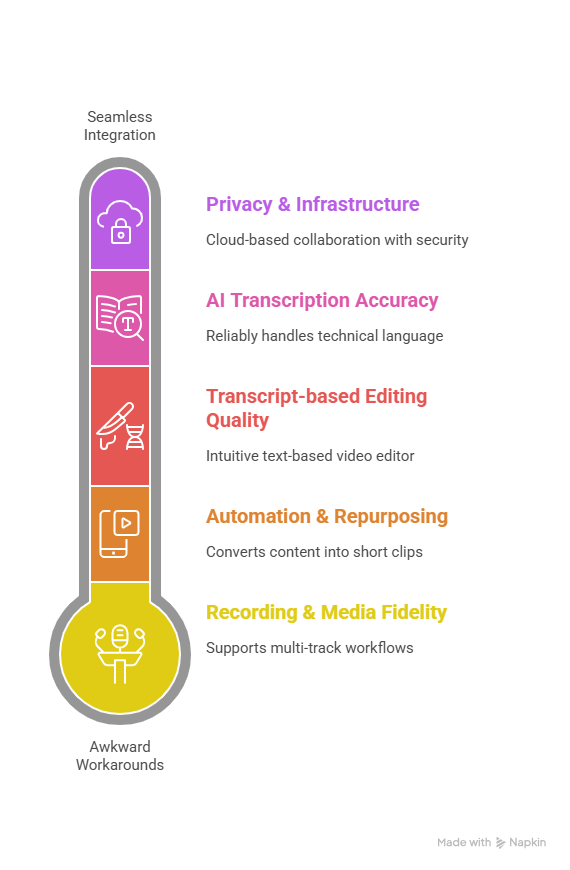
- Transcript-based editing quality – How intuitive is the text-based video editor? Can you truly cut, move, and refine video by editing the transcript?
- AI transcription accuracy – Does the tool reliably handle different accents, pacing, and technical language? Small errors add up when you’re editing at scale.
- Recording & media fidelity – Support for local audio recording, 4K video, and multi-track workflows mattered for podcasters, interviewers, and professional teams.
- Automation & repurposing – We tested how well each tool removes filler words, detects silences, and converts long content into short-form clips, captions, or help articles.
- Workflow fit – Does it support podcasting, social content, sales demos, research, or corporate training without awkward workarounds?
- Privacy & infrastructure – Cloud-based collaboration vs. local-only processing, plus security features for regulated industries.
- Pricing vs. value – We compared subscriptions, free tiers, and one-time licenses to judge long-term ROI, not just sticker price.
Methodology-wise, we analyzed 2026 product capabilities, hands-on workflows, documentation, and real-world use cases from creators, SaaS teams, educators, and researchers. We also paid close attention to second-order effects, such as how recording quality impacts transcription accuracy, or how CRM and LMS integrations change the actual business outcome of video.
In short, this isn’t a theoretical comparison. It’s a practical, workflow-first evaluation of the best text-based video editing tools available right now.
The 8 Best Descript Alternatives in 2026: In-Depth Reviews
Below are the eight strongest Descript alternatives this year. Each one excels in a different workflow, so instead of forcing a single “winner,” think in terms of best fit for your specific use case.
1. Riverside: Best for High-Fidelity Remote Recording
Best for: Interviews, podcasts, client recordings, and multi-guest video
Why it stands out: Studio-quality capture + transcript-based editing
Riverside.fm is the go-to choice if recording quality is non-negotiable. Unlike Descript’s cloud-dependent capture, Riverside records locally on each participant’s device, then uploads the files in the background. That means consistent 4K video and 48 kHz audio, even when someone’s internet connection dips mid-session.
Key strengths
- Local recording with separate tracks for each participant
- Accurate transcripts that power a smooth text-based video editor
- AI features like eye contact correction and Magic Clips for social repurposing
Where it fits best
If you regularly host remote interviews, podcasts, or webinars, Riverside removes the usual friction: no dropouts, no compressed audio, and far less time spent fixing recordings.
Limitations
Less focused on creative visuals or sales automation than some niche tools.
2. VEED.io: Best for Social & Viral Clip Creation
Best for: Marketers, influencers, short-form content teams
Why it stands out: Speed, templates, and AI-powered repurposing
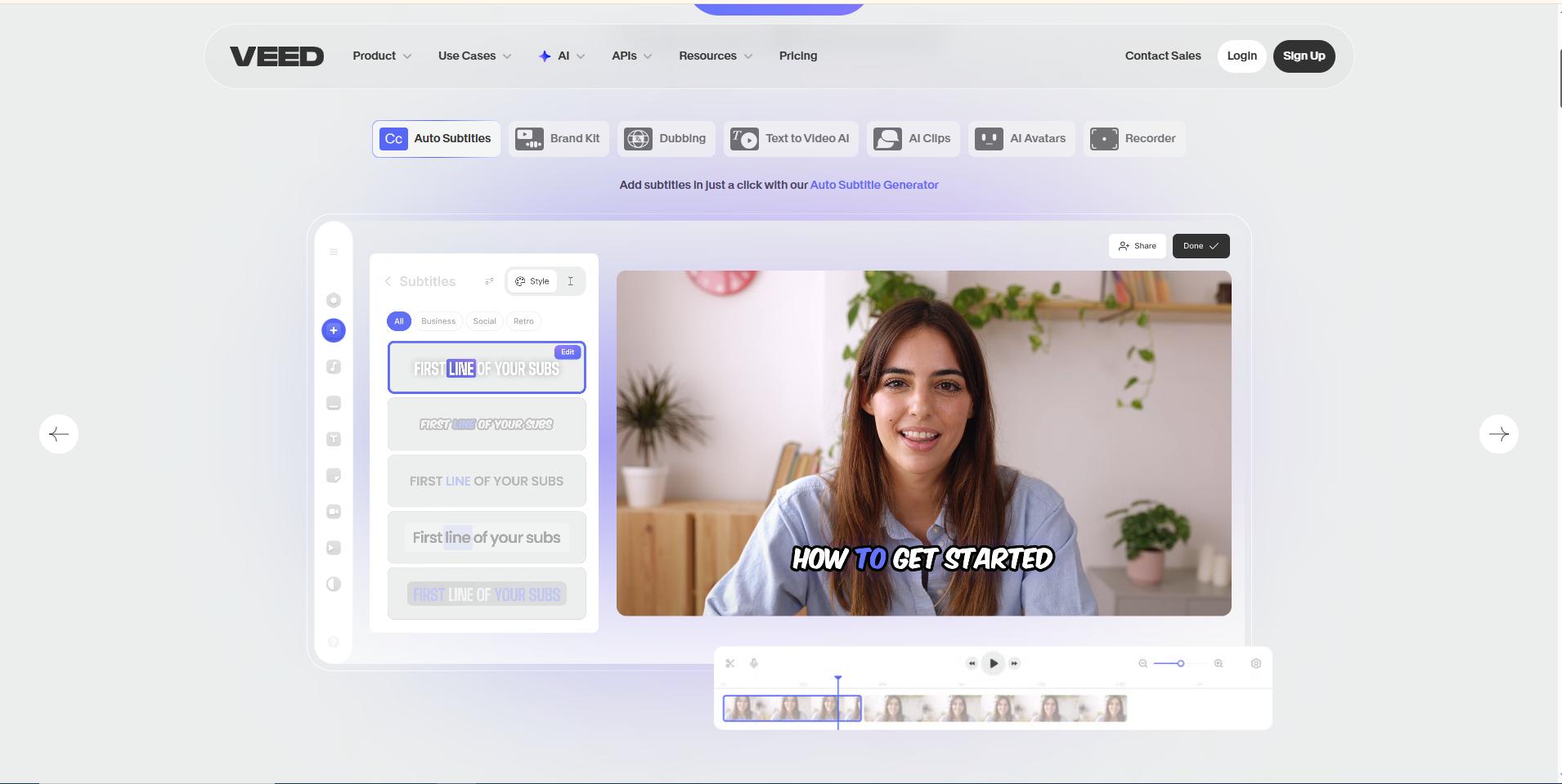
VEED.io is built for one thing: getting content out fast. While Descript shines in narrative editing, VEED dominates in short-form video creation. Its AI can identify high-impact moments, generate captions, and package clips for TikTok, Instagram, or YouTube Shorts in a few clicks.
Key strengths
- AI Reel Generator for instant viral-style clips
- Text-prompt editing and automatic subtitles
- Brand kits, templates, and video translation for global reach
Where it fits best
If your workflow revolves around social engagement rather than long-form storytelling, VEED saves hours per week.
Limitations
Browser-based performance can slow down on large, complex projects.
3. PuppyDog.io: Best for Personalized Sales & Product Demos
Best for: B2B SaaS, sales teams, product marketers
Why it stands out: Automated, CRM-driven video personalization
PuppyDog.io isn’t a traditional editor, and that’s exactly what makes it powerful. Instead of manually cutting videos, it automates personalized product demos using CRM data like role, company, and industry. Each prospect receives a video tailored to their specific needs.
Key strengths
- AI-generated demo scripts based on buyer persona
- Automatic pairing with product screen recordings
- Integrations with Salesforce, Slack, and outreach tools
Where it fits best
If your goal is higher reply rates and faster conversions, PuppyDog.io replaces hours of manual editing with one-to-many personalized video automation.
Limitations
Not designed for general creative video editing or social media production.
4. Reduct.video: Best for Research & Qualitative Analysis
Best for: Researchers, documentary teams, UX, legal analysis
Why it stands out: Semantic search across large video libraries
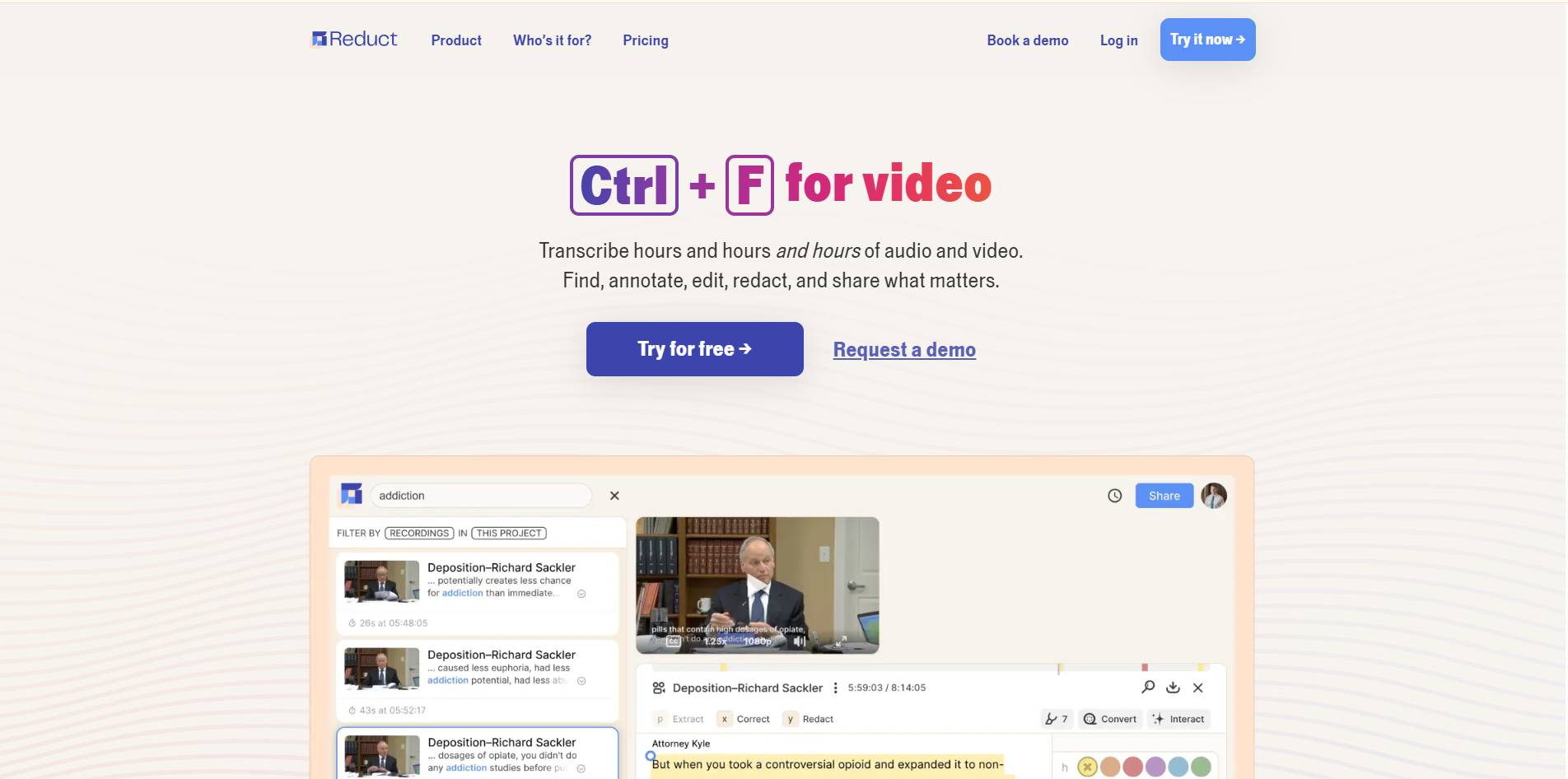
Reduct.Video treats video as data, not just media. Instead of searching for exact words, you can search by concept, for example, “customer frustration,” and instantly surface relevant moments across hundreds of hours of footage.
Key strengths
- Concept-based, semantic video search
- Videoboard for collaborative theme mapping
- Export to Premiere Pro for professional finishing
Where it fits best
If your work involves analyzing interviews, user research, or legal footage, Reduct dramatically shortens the path from raw video to insight.
Limitations
Less suitable for marketing, social clips, or sales video workflows.
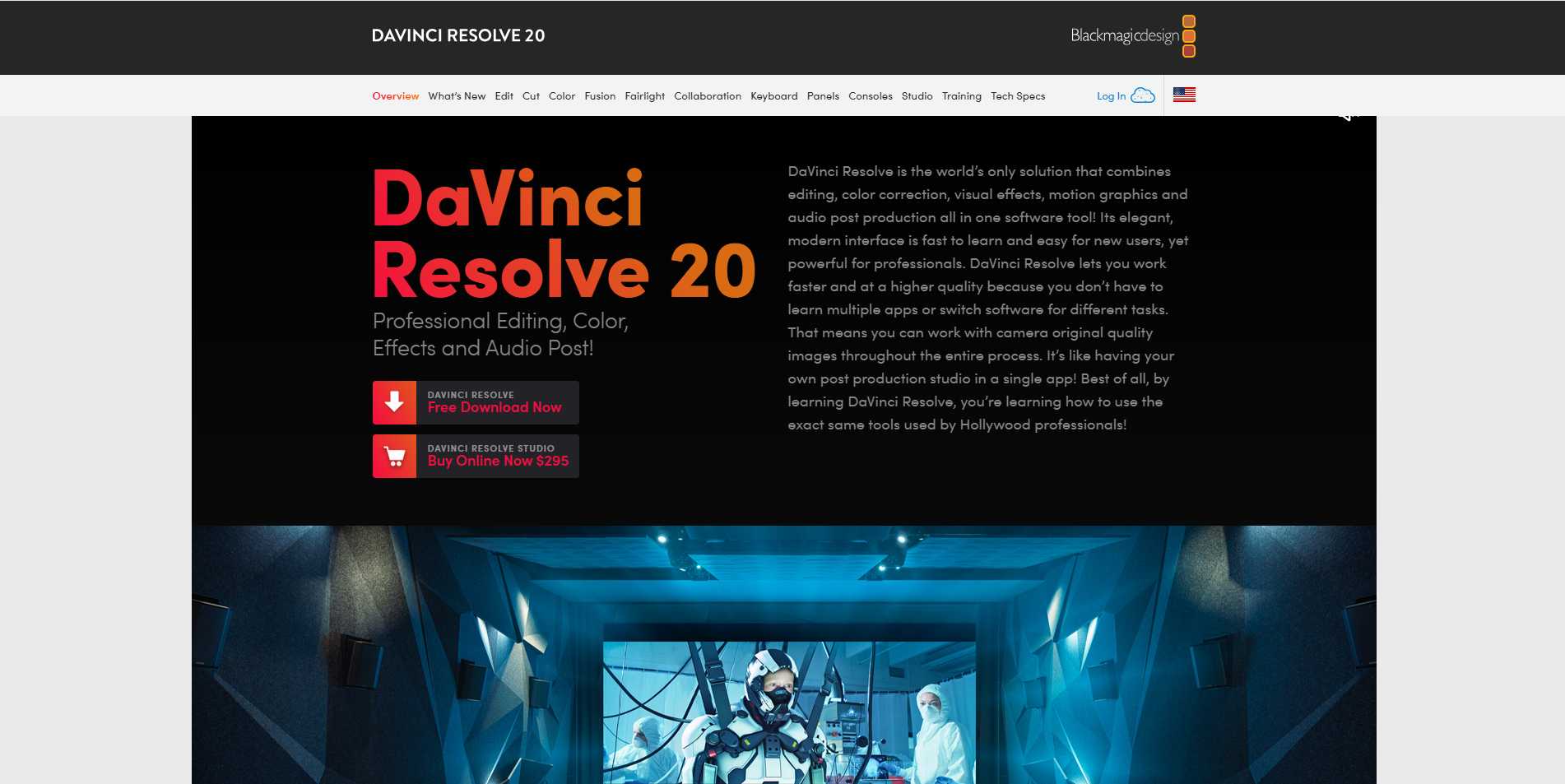
5. DaVinci Resolve: Best Professional Editor with Text-Based Editing
Best for: Advanced creators, filmmakers, agencies
Why it stands out: Pro-grade editing + AI transcript workflows
DaVinci Resolve merges Hollywood-level post-production with AI-driven text editing. Its IntelliScript feature lets you make rough cuts by editing a transcript, then refine the project using industry-leading color grading, audio tools, and visual effects.
Key strengths
- Desktop performance using local GPU/NPU
- Text-based editing inside a full NLE
- One-time license option (no recurring subscription)
Where it fits best
For creators who want transcript-based editing without sacrificing professional depth, Resolve is unmatched.
Limitations
Steeper learning curve than browser-based tools.
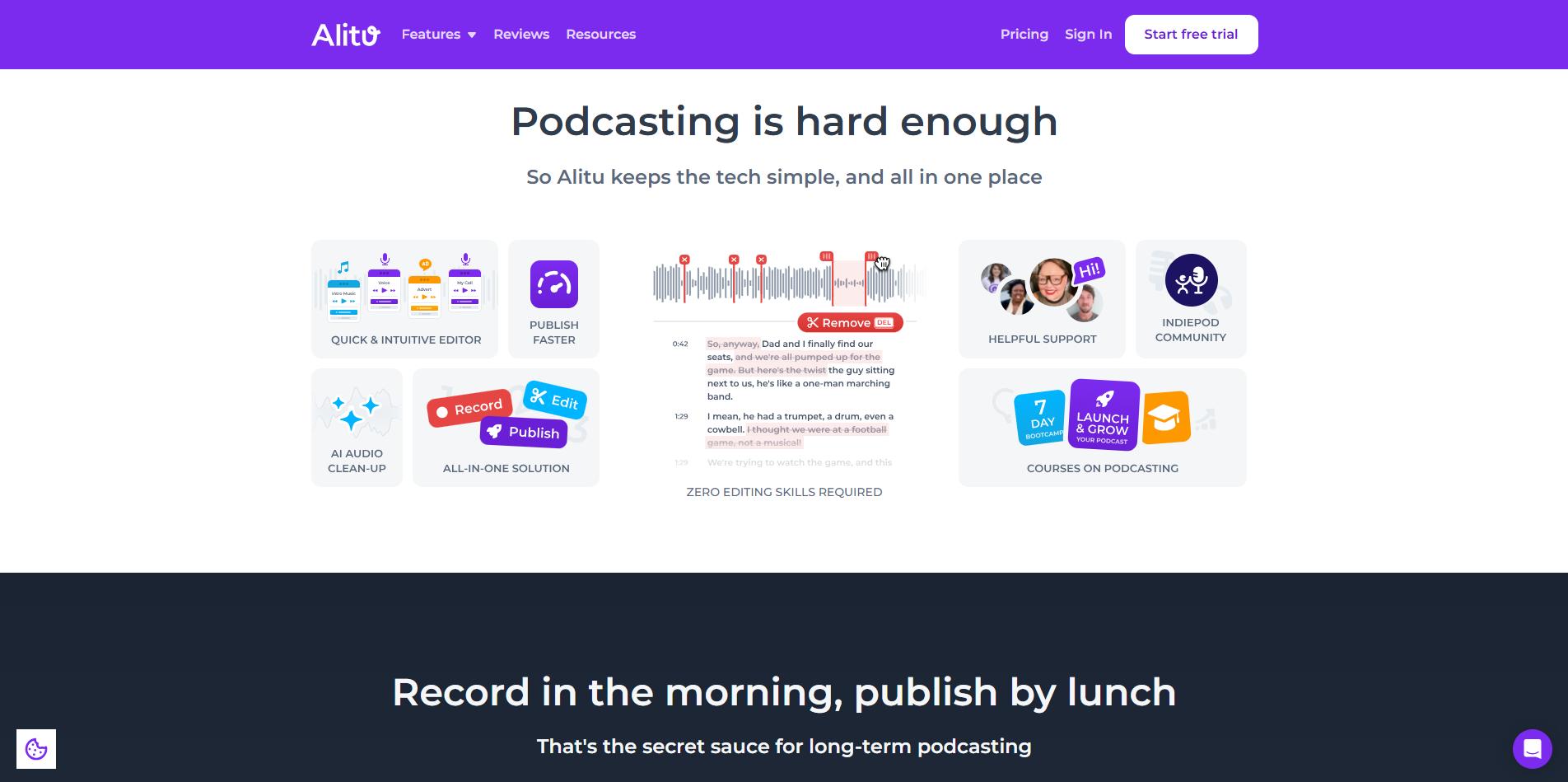
6. Alitu: Best for Podcast Automation
Best for: Podcasters who want simplicity
Why it stands out: Editing, audio cleanup, and hosting in one place
Alitu is designed to remove technical barriers. It automatically levels audio, removes noise, and simplifies editing into a text-like, drag-and-drop experience, no waveforms, no engineering knowledge required.
Key strengths
- Automatic sound cleanup (“Magic Filters”)
- Simple editing interface
- Built-in podcast hosting and distribution
Where it fits best
If your primary goal is to edit podcasts more efficiently and publish without juggling multiple tools, Alitu is ideal.
Limitations
Not built for video-heavy or advanced production workflows.
7. Audapolis: Best Open-Source, Privacy-First Option
Best for: Journalists, legal teams, privacy-focused creators
Why it stands out: 100% local editing with no cloud dependency
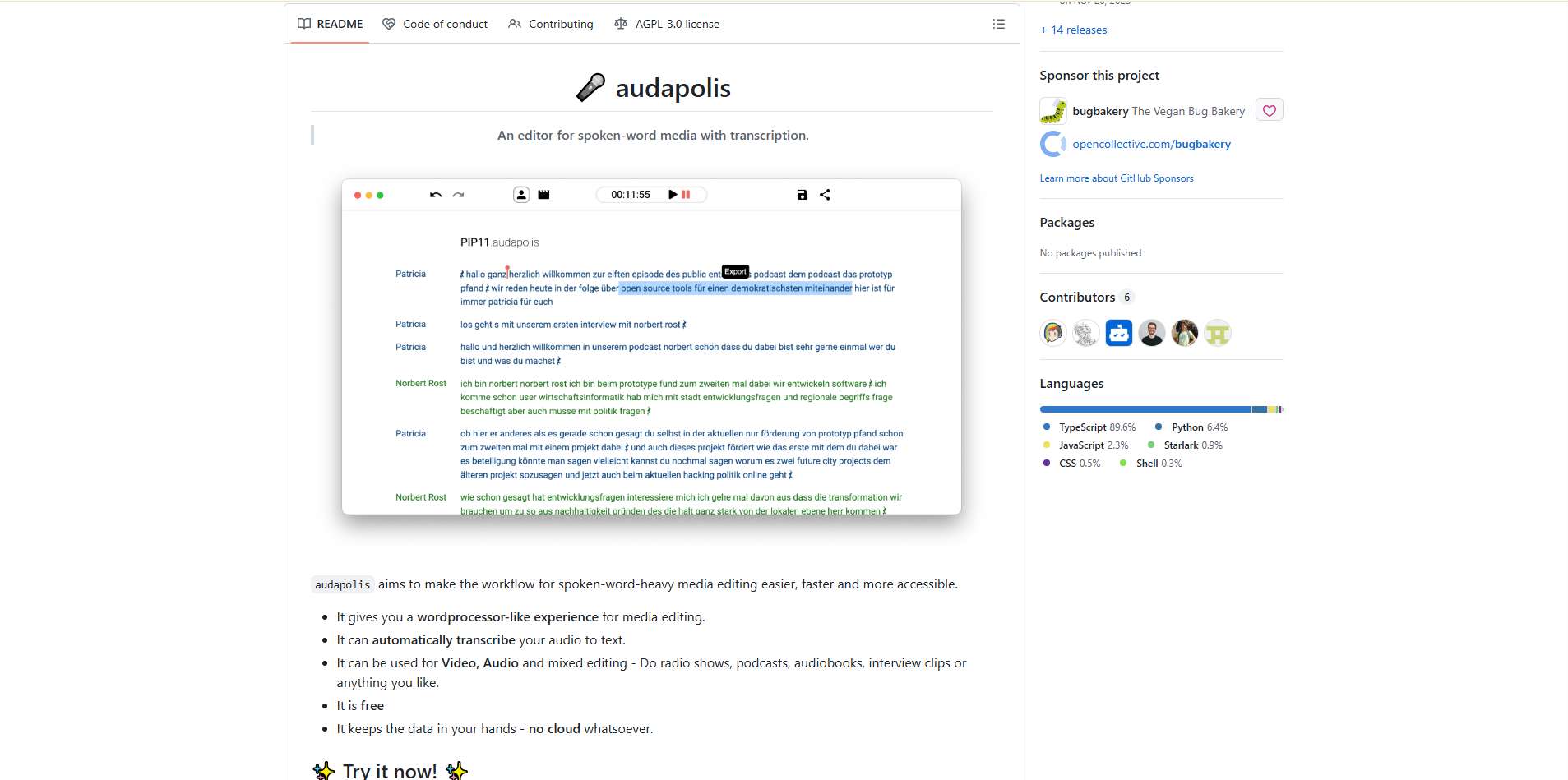
Audapolis is an audio editor. Which performs all transcription and editing on your own device using open-source models. Your files never leave your system. There are no uploads, no external servers, and no AI training on your data.
Key strengths
- Local transcription with selectable AI models
- Open-source and completely free
- Cross-platform: Windows, macOS, Linux
Where it fits best
For sensitive or confidential projects where cloud processing is a risk.
Limitations
No advanced AI features like avatars, social automation, or collaboration tools.
8. Colossyan: Best for Enterprise Training & AI Video Creation
Best for: L&D teams, HR, corporate communications
Why it stands out: Script-to-video with AI avatars and LMS integration
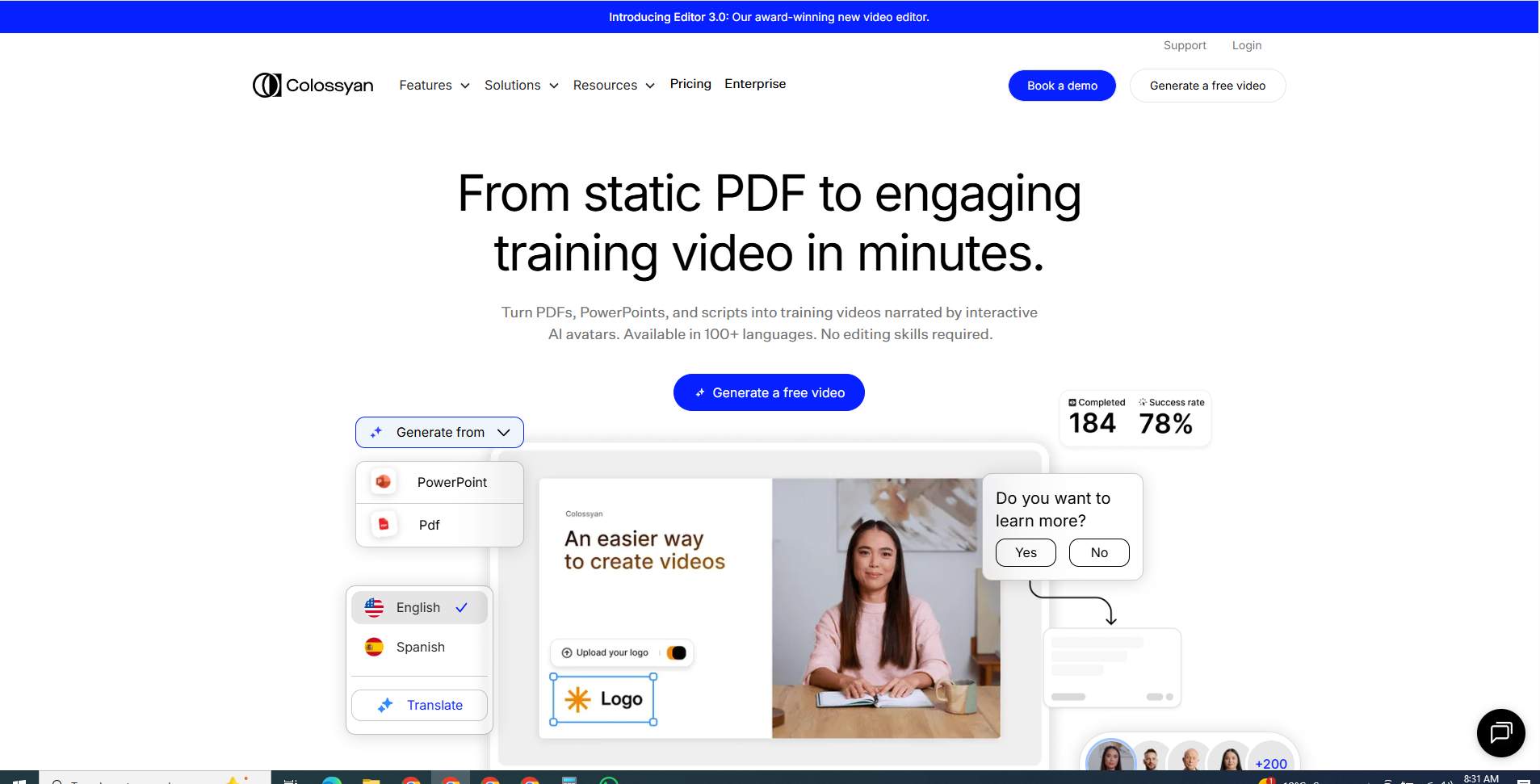
Colossyan doesn’t just edit video. It creates professional training videos from text. Upload a script, choose an AI presenter, and generate polished content in minutes. Built-in quizzes, branching scenarios, and SCORM export make it enterprise-ready.
Key strengths
- 200+ AI avatars and multilingual support
- Interactive training elements
- LMS compatibility for corporate reporting
Where it fits best
If your organization produces internal training or onboarding videos at scale, Colossyan delivers far higher ROI than manual editing.
Limitations
Not designed for editing recorded interviews or podcasts.
Comparative Matrix: Quick Feature & Price Snapshot
If you’re the kind of reader who likes to scan before committing, this section is for you. Rather than forcing you to reread eight long reviews, the matrix below distills each tool into what really matters: who it’s for, how it handles transcript-based editing, its automation level, privacy stance, and how much you’ll roughly pay.
This isn’t about picking a single “winner.” It’s about matching the right text-based video editor to your workflow, whether that’s podcasting, social content, enterprise training, or sales personalization.
Performance, Limits & Collaboration:
How to Read This Table: Key Insights
- Local vs. Cloud Export Matters
Tools like DaVinci Resolve and Audapolis export using your own hardware, making them faster and more reliable for large or complex projects. Browser-based tools (Riverside, VEED, Reduct) depend on internet speed, which can slow down heavy exports. - File Size Limits Reveal Who It’s For
If you work with long interviews or research footage, Reduct.video stands out with uploads up to 75 GB on higher plans. In contrast, cloud editors like Riverside and VEED impose size caps that may require trimming or compression. - Collaboration Is Not One-Size-Fits-All
DaVinci Resolve offers true professional multi-user editing with version control, while VEED and Reduct focus on real-time teamwork and feedback in the browser. PuppyDog.io emphasizes CRM-driven sharing rather than collaborative editing. - Solo Creators vs. Teams
Alitu and Audapolis are best for individuals who value simplicity or privacy over collaboration. On the other hand, Riverside, VEED, Reduct, and Colossyan scale better for marketing teams, agencies, and enterprise workflows. - Automation vs. Manual Control
PuppyDog.io and Colossyan prioritize speed through automation, generating videos in seconds—while tools like DaVinci Resolve trade automation for deep creative control. - Enterprise Readiness Shows in the Details
Features like role-based access, LMS integration, and dedicated workflows (seen in Colossyan, Riverside Business, and DaVinci Resolve) signal which tools are built for large organizations, not just individual creators.
Platform, Language, Support & Scalability:
Key Insights from This Comparison
- Cloud vs. Desktop Is a Strategic Choice
Browser-based tools like Riverside, VEED, Reduct, PuppyDog.io, and Colossyan are built for speed, accessibility, and team collaboration from anywhere. In contrast, DaVinci Resolve and Audapolis favor local desktop control, making them better for power users who prioritize performance, offline work, or data privacy. - Language Support Separates Global Teams from Niche Workflows
If you work with international audiences, Riverside (100+ languages) and Reduct.video (90+ languages) clearly lead. VEED and Colossyan also shine with multilingual subtitles and AI avatars. Tools like PuppyDog.io and Alitu remain more English-focused, which is fine for sales and podcasting—but limiting for global operations. - Customer Support Reflects Target Audience
Enterprise-oriented platforms (Riverside Business, PuppyDog.io, Colossyan) offer structured, high-touch support. Meanwhile, DaVinci Resolve and Audapolis rely more on documentation and community, which suits experienced users but may slow down beginners. - Scalability Signals Who Each Tool Is Really Built For
Riverside, VEED, Reduct, and Colossyan are designed to grow with teams through business and enterprise tiers. PuppyDog.io is purpose-built for scaling outbound sales and personalization. In contrast, Alitu and Audapolis are intentionally lightweight, making them ideal for individuals but not for large organizations. - Enterprise Features Go Beyond Just “More Users”
True enterprise readiness isn’t just about adding seats—it includes API access, LMS integration, role-based permissions, and workflow automation. That’s where Colossyan, Riverside Business, and Reduct Enterprise stand out.
Feature & Pricing Comparison
*Pricing reflects typical entry plans and may vary by usage or enterprise features.
How to Read This Matrix
- Need clean, reliable recordings? Riverside’s local capture wins for interviews and podcasts.
- Focused on reach and engagement? VEED.io excels at social templates and viral clips.
- Driving revenue, not views? PuppyDog.io is purpose-built for personalized sales videos.
- Working with large research datasets? Reduct.video’s semantic search saves hours.
- Want full creative control without subscriptions? DaVinci Resolve offers unmatched professional depth.
- Podcast-first and time-poor? Alitu simplifies editing, hosting, and publishing.
- Handling sensitive data? Audapolis keeps everything local and private.
- Building training at scale? Colossyan automates enterprise-ready video creation.
Which Tool Should You Pick? A Practical Decision Guide
By now, you’ve seen the 8 top Descript alternatives in 2026, their standout features, pricing, and unique use cases. But let’s be honest—choosing the right tool isn’t about picking the one with the flashiest AI. It’s about matching a platform to your specific workflow, goals, and constraints. Here’s a practical guide to help you decide.
1. Prioritize Recording Quality & Multi-Guest Sessions
- Pick Riverside.fm if your main goal is studio-grade audio and video with separate tracks. Its local 4K recording ensures you never lose fidelity, and the AI transcript editor speeds up post-production. Perfect for podcasters, journalists, and remote interviewers.
2. Focused on Social Media & Short-Form Content
- Pick VEED.io if you need to create viral clips quickly. AI-driven editing, template libraries, and automatic subtitling make social content creation effortless. Ideal for marketers, influencers, and small business owners.
3. Need Personalized Sales & Product Demos
- Pick PuppyDog.io if your KPIs are conversions and qualified leads. AI scripts and CRM integrations automate personalized demo videos, cutting manual labor and boosting outreach effectiveness. Best for B2B SaaS and sales teams.
4. Research, Interviews & Large Video Libraries
- Pick Reduct.video if you handle hundreds of hours of footage for research, UX, or legal projects. Semantic search and collaborative Videoboards make qualitative analysis fast and accurate.
5. Professional Editing & Full Creative Control
- Pick DaVinci Resolve if you want Hollywood-level editing plus a transcript-based workflow. Perfect for filmmakers, agencies, or creators working with high-res video, advanced effects, and zero subscription overhead.
6. Podcast-Only Automation
- Pick Alitu if you want fast, automated podcast editing and hosting. It handles audio cleanup, leveling, and distribution—all without the learning curve of traditional editors.
7. Privacy-Focused & Open-Source Needs
- Pick Audapolis if data confidentiality is critical. Everything runs locally, giving you full control over transcription and edits, without sending content to the cloud.
8. Enterprise Training & Learning Content
- Pick Colossyan if you’re producing corporate training videos at scale. Script-to-video AI, interactive quizzes, and LMS integration make it perfect for HR, L&D, and internal communications.
Bottom line: The “best” alternative isn’t universal. it’s the one that solves your workflow problem fastest, saves time, and boosts your outcomes. By identifying your primary goal, whether it’s recording fidelity, social virality, sales personalization, research, or training, you can confidently pick the tool that fits your 2026 content strategy.
Migration & Workflow Tips: Moving from Descript Without Losing Productivity
Switching from Descript can feel intimidating, but with a structured approach, you can transition smoothly without sacrificing productivity. The key is to understand what you really need from your new tool and adapt your workflow incrementally.
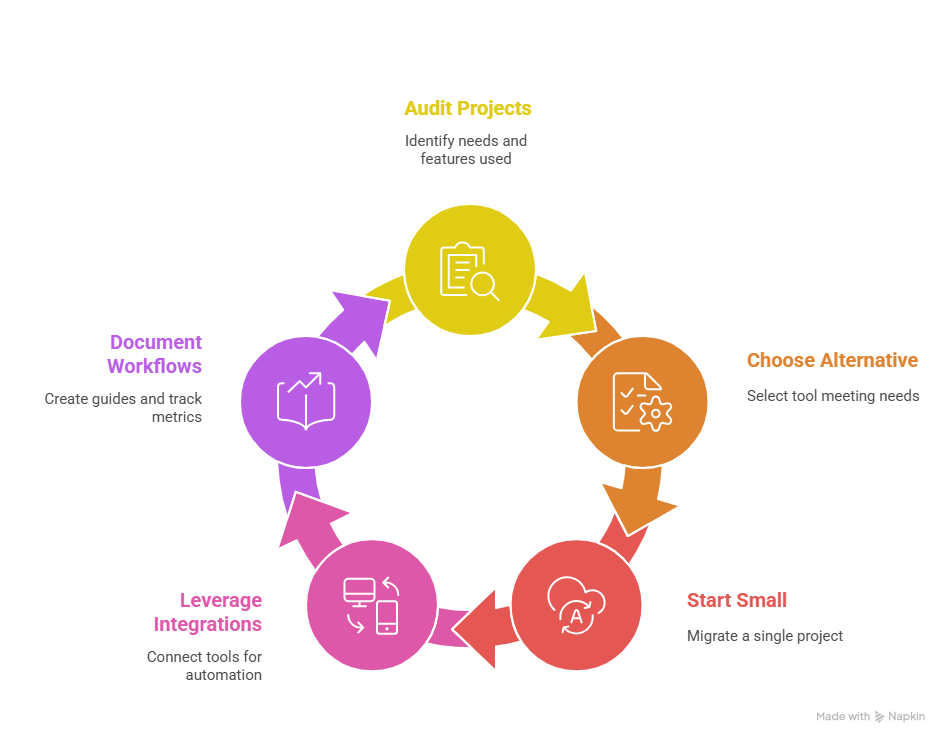
1. Audit Your Current Projects
- Identify ongoing projects, frequently used assets, and common workflows (podcasts, social clips, product demos).
- Note which features of Descript you rely on most—transcripts, filler word removal, video editing, or AI voices.
2. Choose the Right Alternative
- Map your needs to the tools in this guide: Riverside.fm for high-fidelity recording, VEED.io for social content, PuppyDog.io for personalized sales videos, etc.
- Avoid switching to a tool that doesn’t fully address your main pain point. This is the fastest route to frustration.
3. Start Small
- Begin by migrating a single project or episode. Familiarize yourself with new workflows and test AI-powered features.
- Use side-by-side comparisons to ensure your editing quality and timing remain consistent.
4. Leverage Integrations
- Connect new tools with your existing CRM, cloud storage, or project management software.
- Automations can replicate the “round-trip” workflow you previously managed in Descript, minimizing friction.
5. Document New Workflows
- Keep a quick-reference guide for team members or collaborators.
- Track productivity metrics to verify time saved or quality improvements.
Tip: Treat migration as an opportunity to streamline and optimize. Many creators discover that their new tool not only replaces Descript but also accelerates their workflow.
Cost vs ROI: Budgeting for the Right Tool
When evaluating Descript alternatives in 2026, cost is only part of the equation. The real question is what return on investment (ROI) each tool delivers relative to your workflow, audience, and goals. A higher-priced platform can often pay for itself if it saves hours of editing, boosts conversions, or improves content quality.
1. Align Spending with Workflow Goals
- High-fidelity recording: Riverside.fm’s $19–$29/month plans may seem steep, but the time saved fixing bad audio and video pays off immediately.
- Sales-focused automation: PuppyDog.io's Pro tier runs $42/month per user, and personalized demo videos can generate thousands of dollars in new leads, ROI measured in revenue, not hours.
- Social content creation: VEED.io’s affordable plans maximize engagement and shorten production cycles, ideal for small teams with limited budgets.
2. Factor in Hidden Costs
- Avoid tools that require multiple subscriptions for complementary features (recording, hosting, transcripts).
- Consider training time: some professional-grade tools like DaVinci Resolve have a learning curve, but once mastered, they eliminate recurring outsourcing costs.
3. Estimate Time Saved vs Cost
- Track hours spent per project on your current setup.
- Compare the projected time savings with your chosen alternative. Often, even mid-tier subscriptions pay for themselves within a few projects.
Bottom line: Don’t choose a tool based on sticker price alone. The most cost-effective option is the one that reduces friction, accelerates production, and drives measurable results, whether that’s leads, engagement, or polished, professional output.
Conclusion
The Descript alternatives of 2026 prove that there’s no one-size-fits-all solution. Whether your focus is studio-quality recording, viral social content, or personalized sales demos, choosing the right tool can dramatically boost productivity, engagement, and ROI. Don’t let outdated workflows slow you down. Explore solutions that work smarter for you.
Take action now: Start creating personalized, AI-powered demo videos with PuppyDog.io and see the impact for yourself. Start your free trial today and transform the way you connect with prospects and close deals.
FAQs:
1. How do I determine which Descript alternative is best for my workflow?
Start by identifying your primary goal, whether it’s high-fidelity recording, social content creation, sales personalization, podcasting, or corporate training. Then match your needs to the tools outlined in this guide. For example, Riverside.fm excels in recording, VEED.io in social media clips, and PuppyDog.io in personalized sales demos. Factor in budget, integrations, and AI features to find the perfect fit.
2. Are there any free Descript alternatives with text-based editing?
Yes! Audapolis offers audio text-based editing capabilities without requiring a subscription. Audapolis is fully open-source and privacy-focused.
3. Do all Descript alternatives support text-based video or audio editing?
Not all. Some tools, like PuppyDog.io, focus on AI-generated, personalized demo videos rather than traditional transcript editing. Others, like Alitu, are audio-first and use simplified, word-processor-style text editing. Check each tool’s workflow to ensure it aligns with your needs.
4. Which Descript alternative is best for high-quality remote recording?
Riverside.fm is the clear choice. It records audio and video locally at up to 4K resolution and 48 kHz audio, reducing latency issues and maintaining studio-quality fidelity, even during multi-guest sessions.
5. What is the easiest Descript alternative for beginners creating podcasts?
Alitu is perfect for beginners. It automates audio cleanup, levels volume, removes background noise, and simplifies editing into a text-style interface, making it ideal for podcasters with minimal technical experience.
6. Are there Descript alternatives for automating customer support and knowledge bases?
Yes. Tools like PuppyDog.io and platforms such as eesel AI can integrate with CRMs, Slack, or internal knowledge bases to automate personalized video responses, AI-driven tutorials, or internal support content, helping teams scale communication without extra manual effort.

Sarah Thompson is a storyteller at heart and Business Developer at PuppyDog.io. She’s passionate about creating meaningful content that connects people with ideas, especially where technology and creativity meet.