Top 7 Tools For Creating Customer Onboarding Videos In 2026

A new user signs up for your product.
They’re curious. Maybe even excited.
Three minutes later, they’re confused. They click around. They hesitate. And then, quietly, they leave.
Not because your product is bad.
But because it wasn’t clear.
That’s the uncomfortable truth most SaaS teams face in 2026. We’re not competing on features anymore. We’re competing on clarity in the first five minutes. And that’s exactly where customer onboarding videos have become a growth lever, not a content asset.
Users today don’t read long documentation. They don’t attend hour-long webinars. They want fast, visual, outcome-driven guidance. Show me what to do. Show me why it matters. Let me win quickly.
The good news? Creating high-quality SaaS onboarding videos no longer requires a production team, expensive editing software, or weeks of scripting. With modern screen recording software, AI voiceover for videos, interactive walkthrough tools, and onboarding video automation, teams can now ship structured guidance in hours, not weeks.
In this guide, we’ll break down:
- What customer onboarding videos actually mean in 2026 (beyond “welcome clips”)
- Why video-driven onboarding increases retention and accelerates time-to-value
- The must-have features in a modern onboarding video creation tool
- Traditional vs. AI-powered onboarding workflows, and what changed
- The top 6 tools leading this shift (and who each one is best for)
- How to structure a high-performing onboarding video series
- Script best practices that keep viewers engaged
- The KPIs that prove your onboarding is working
- How to embed videos inside your product for progressive, in-app guidance
- Pricing, integration considerations, and real-world tradeoffs
By the end, you won’t just know which tools are popular. You’ll understand how to build a customer retention video strategy that reduces support tickets, increases activation, and makes your product feel easy, even if it’s complex.
Because in 2026, clarity scales. Confusion churns.
Let’s build the former.
What Are Customer Onboarding Videos?
At their core, customer onboarding videos are short, outcome-focused videos designed to help new users understand, adopt, and succeed with your product as quickly as possible.
Not marketing promos.
Not feature hype reels.
Not 40-minute training webinars.
They’re practical, guided explanations that show users exactly what to do next.
In a SaaS context, these videos typically fall into a few categories:
- Welcome videos that set expectations and explain what success looks like
- Product walkthrough videos that guide users through their first key action
- Feature walkthrough videos that introduce advanced capabilities
- Role-based onboarding videos tailored to different user types (e.g., admin vs. contributor)
- Short troubleshooting clips embedded inside help centers or self-service support content
The goal isn’t to explain everything. It’s to create momentum.
A strong onboarding video answers three simple questions:
- What should I do first?
- Why does this matter?
- What result will I get?
When done right, these videos become part of a larger customer education system, supporting customer education videos, video documentation tools, and in-app guidance experiences. They shorten the path to the first “aha” moment and remove hesitation at critical steps.
In 2026, the difference is that these videos are no longer static recordings. With AI voiceover for videos, screen recording software, and onboarding video automation, they’re faster to produce, easier to localize, and far more personalized than traditional training content.
In short, customer onboarding videos turn complexity into clarity, one step at a time.
Why Customer Onboarding Videos Matter
Let’s talk about something uncomfortable for a second: most churn doesn’t happen because your product is bad.
It happens because users never fully understand it.
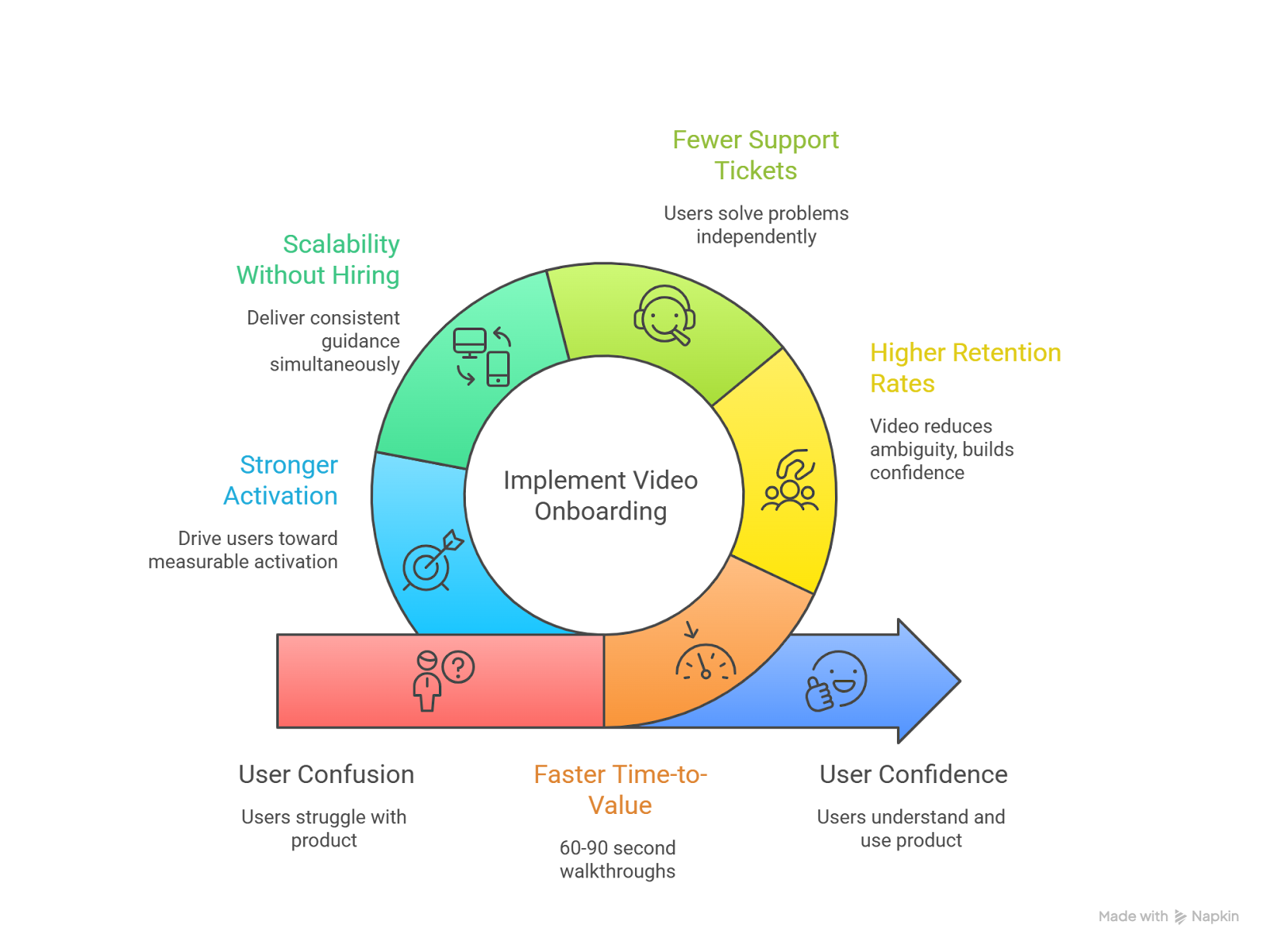
In 2026, churn is less of a pricing problem and more of an attention problem. New users don’t want to dig through documentation. They don’t want to guess what to click. They want fast, visual guidance that gets them to value quickly. That’s exactly where customer onboarding videos make a measurable difference.
Here’s what structured video onboarding changes:
1. Faster Time-to-Value (TTV)
Time-to-value acceleration is the single most important onboarding metric today.
When users see exactly how to complete their first meaningful action, through a 60–90 second walkthrough instead of a long article, they reach their “aha” moment faster. Research consistently shows AI-powered onboarding can reduce TTV by 34–50%.
And when users see value faster, they stay longer. Simple math.
2. Higher Retention Rates
Companies that treat video as onboarding infrastructure (not just content) report retention lifts between 50–80% compared to text-heavy approaches.
Why? Because video reduces ambiguity.
Instead of asking users to interpret instructions, you’re showing them the exact path. That clarity strengthens your customer retention video strategy and builds early confidence, the kind that prevents silent drop-offs in week one.
3. Fewer Support Tickets
Support teams feel this immediately.
When feature walkthrough videos and self-service support content are embedded directly inside the product or help center, users solve problems independently. Many teams report a 20% or greater reduction in support tickets after implementing structured onboarding videos.
Even a modest drop in tickets compounds into serious cost savings over a year.
4. Scalability Without Hiring
Manual onboarding, live demos, long training calls, repeated explanations, don’t scale.
But SaaS onboarding videos do.
Once recorded and automated (especially with onboarding video automation and AI voiceover for videos), you can deliver consistent guidance to thousands of users simultaneously. No extra headcount. No scheduling bottlenecks. No fatigue.
5. Stronger Activation and Adoption
Onboarding isn’t about finishing a checklist. It’s about driving behavior.
When videos are designed around specific milestones, such as creating the first project, inviting a team member, and publishing the first campaign, they push users toward measurable activation. That’s where onboarding completion rates and customer activation metrics begin to climb.
And once habits form? Expansion becomes much easier.
In short, customer onboarding videos matter because they transform confusion into confidence.
They shorten the distance between signup and success.
They reduce friction at micro-moments.
And they quietly turn first-time users into long-term customers.
In today’s SaaS environment, that’s not just helpful.
It’s essential.
Essential Features to Look For in Onboarding Video Tools
Most teams don’t struggle to record videos. They struggle to maintain them.
UI changes. Features evolve. Messaging shifts. And suddenly, your beautiful onboarding video from three months ago is already outdated.
If you’re evaluating tools for creating customer onboarding videos in 2026, the real question isn’t “Can it record my screen?” It’s:
Can it help me scale onboarding without scaling chaos?
Here are the essential features that actually matter.
1. High-Quality Screen Recording (Without Friction)
At its core, an onboarding video creation tool must provide reliable screen recording software.
But not just basic recording.
Look for tools that offer:
- Crisp HD capture
- Cursor highlighting and click effects
- Smooth zoom-ins on key UI elements
- Easy trimming and editing
Reddit users frequently mention Loom as a fast recording option, but also note the manual work required afterward to turn transcripts into usable guides. That gap between recording and structured onboarding is where many tools fall short.
Recording should be the starting point, not the whole workflow.
2. AI Voiceover for Videos (With Multi-Language Support)
Manual voice recording sounds authentic, but it doesn’t scale.
Modern onboarding video automation tools now include:
- AI voiceover generation
- Multiple accents and languages
- Automatic script-to-voice conversion
- Quick regeneration when UI changes
This is especially important for:
- Multi-language onboarding videos
- Role-based onboarding content
- Frequent product updates
If your SaaS has global users, updating 5 language versions manually is painful. AI-generated voiceovers let you revise one script and instantly regenerate all versions.
That’s operational sanity.
3. Automatic Script & Documentation Generation
Here’s where things get interesting.
Several SaaS founders have highlighted the value of tools that:
Record once → auto-generate a polished video → create step-by-step written guides.
This dual output matters because modern onboarding isn’t video or documentation.
It’s both.
Users want:
- Video for context
- Written steps for quick scanning
- Searchable help center articles
- Embedded walkthrough snippets
If your tool only produces video files, you’ll still need separate video documentation tools to build help center content. That slows your workflow.
The best tools convert one recording into:
- A video demo
- A feature walkthrough
- A step-by-step guide
- Reusable support content
That’s real leverage.
4. Searchable & Chapter-Based Navigation
One recurring complaint from SaaS users?
Scrubbing through long videos to find one answer.
A recent Reddit discussion summed it up perfectly users hate scanning through 20-minute tutorials just to locate one feature explanation.
Modern onboarding tools should offer:
- Clickable chapters
- Searchable transcripts
- Step-linked timestamps
- Modular micro-video segments
This improves:
- Self-service support content
- Help center usability
- Support ticket reduction with video
Because when users can instantly jump to the right moment, they don’t open tickets.
They solve problems.
5. Fast Update & Regeneration Capabilities
In SaaS, product changes are constant.
One founder recently shared that AI explainer tools help reduce turnaround time when UI or features shift, but the real value is speed and iteration, not just aesthetics.
That’s the key.
Your onboarding video tool must allow:
- Easy UI re-capture
- Script regeneration
- Voiceover re-sync
- Automatic caption updates
If updating a 2-minute SaaS onboarding video takes 3 hours, your team will delay updates. And outdated onboarding directly hurts time-to-value acceleration.
Look for tools that treat updates as a feature, not an afterthought.
6. Role-Based & Personalized Onboarding
Not every user should see the same video.
A sales manager and a product admin don’t need identical walkthroughs.
Advanced tools now support:
- Role-based onboarding flows
- Triggered videos based on behavior
- Segment-specific messaging
- Personalized intro clips
Some SaaS teams recommend triggering videos based on behavior (like inactivity or first key action) rather than immediately after signup.
This aligns onboarding with:
- Activation milestones
- Feature discovery
- Customer retention video strategy
In 2026, static onboarding is outdated. Smart onboarding reacts.
7. Easy Embedding & In-App Delivery
Your videos shouldn’t live only in email.
Look for tools that support:
- In-app embeds
- Tooltips with video
- Modal popups
- Help center video integration
- LMS or CRM embedding
This supports:
- Self-service onboarding
- Contextual feature walkthrough videos
- Time-to-value acceleration
When users learn inside your product, not outside it, adoption increases naturally.
8. Branding & Customization Controls
Your onboarding videos are part of your product experience.
That means:
- Logo overlays
- Brand colors
- Custom intros/outros
- Branded thumbnail images
- Consistent typography
Advanced platforms now offer video branding automation, ensuring consistency without manual editing every time.
Because a generic-looking demo subtly reduces trust.
And trust is everything during onboarding.
9. Analytics & Performance Tracking
If you can’t measure it, you can’t optimize it.
Customer onboarding video tools should include:
- Viewer retention tracking
- Drop-off timestamps
- Completion rates
- Click-through tracking
- Engagement heatmaps
Some SaaS teams experiment with wiring video variants into onboarding flows to test activation impact.
That’s the right mindset.
Your onboarding videos should be:
- A measurable growth asset
- Not just a “nice-to-have” support resource
Data informs iteration.
Iteration improves retention.
10. Scalability & Automation
Finally: zoom out.
Ask yourself:
- Can this tool handle 5 videos?
- Can it handle 500?
True onboarding video automation should support:
- Bulk generation
- Template reuse
- Batch updates
- API integrations
- Multi-team collaboration
Because as your SaaS grows, onboarding complexity grows too.
If your tool can’t scale, you’ll eventually rebuild your entire system.
Quick Feature Checklist
When evaluating tools for customer onboarding videos, prioritize:
✔ AI-powered voiceover & regeneration
✔ Auto-generated documentation
✔ Searchable transcripts
✔ In-app embed options
✔ Role-based targeting
✔ Fast update workflow
✔ Branding automation
✔ Built-in analytics
✔ Multi-language support
If a tool misses more than three of these? It’s probably not future-proof.
Traditional vs. AI-Powered Customer Onboarding Video Creation
Let’s rewind for a moment.
A few years ago, creating customer onboarding videos meant booking a scriptwriter, recording voiceovers manually, editing in Premiere, exporting versions for each language, and praying the UI didn’t change next week.
Fast forward to 2026.
Now AI can record your workflow, auto-generate a script, add voiceovers in 20+ languages, localize it, brand it, and publish it, often in under 10 minutes.
That’s not just a speed upgrade.
It’s a structural shift.
Let’s break down how traditional onboarding video creation compares to AI-powered onboarding video automation today.
Key Differences at a Glance
Where Traditional Still Works
To be fair, traditional production isn’t useless.
High-end promotional videos or emotionally driven brand stories often benefit from human actors and cinematic editing. If you’re creating a flagship marketing launch video, traditional production may still win in storytelling nuance.
But for:
- SaaS onboarding videos
- Product walkthrough videos
- Feature walkthrough videos
- Customer education videos
- Self-service support content
Speed and iteration matter more than cinematic polish.
And that’s where AI-powered tools dominate.
Why AI Wins for Onboarding in 2026
Customer onboarding isn’t a one-time campaign.
It’s an evolving system.
Every product update, UI tweak, and feature release requires a content refresh. Traditional workflows can’t keep up without dramatically increasing costs.
AI-powered onboarding video creation tools solve three major bottlenecks:
- Iteration speed – Update and regenerate instead of re-recording.
- Localization scale – Serve global audiences instantly.
- Operational efficiency – Create structured video documentation without a dedicated production team.
More importantly, AI tools support time-to-value acceleration and support ticket reduction with video, which directly impacts revenue and retention.
That’s the real difference.
The Strategic Shift
In 2026, leading SaaS companies don’t treat onboarding video as a creative project.
They treat it as infrastructure.
Traditional methods create content.
AI-powered systems create scalable onboarding ecosystems, complete with automation, analytics, personalization, and help center integration.
And in a world where users decide in minutes whether your product is “worth it,” that difference is massive.
Top Customer Onboarding Video Tools: Quick Profiles
Let’s get into the tools shaping customer onboarding videos in 2026. Each one solves a slightly different piece of the onboarding puzzle. Automation, personalization, interactivity, async support, or scalable documentation.
I’ll keep this tight and practical.
1. PuppyDog.io: AI-Powered Demo & Onboarding Video Automation
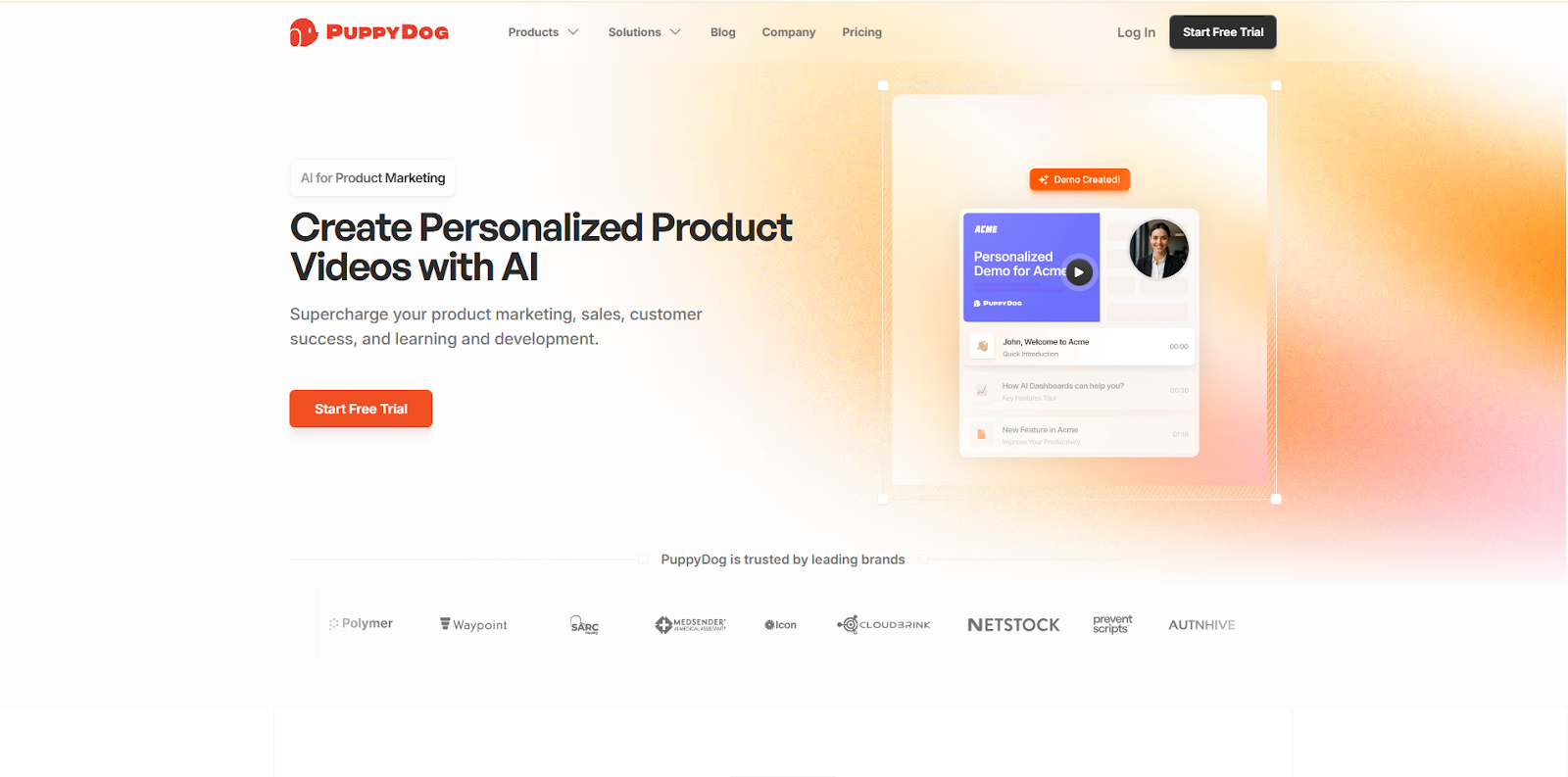
If your product team is sitting on dozens of screen recordings and screenshots, PuppyDog.io turns those raw assets into polished, personalized product demo videos.
Unlike traditional screen recording software that leaves you editing for hours, PuppyDog focuses on:
- Automated AI-driven video generation from screen recordings
- Personalization at scale
- Multi-language video output
- Scalable SaaS onboarding videos
- Consistent branding across all videos
It’s built specifically for product marketing and presales teams who want structured onboarding video automation without hiring a video team.
In a world where time-to-value acceleration is critical, this kind of AI-led workflow eliminates friction between product changes and updated onboarding content.
2. Guidde: Rapid AI Documentation & Walkthroughs
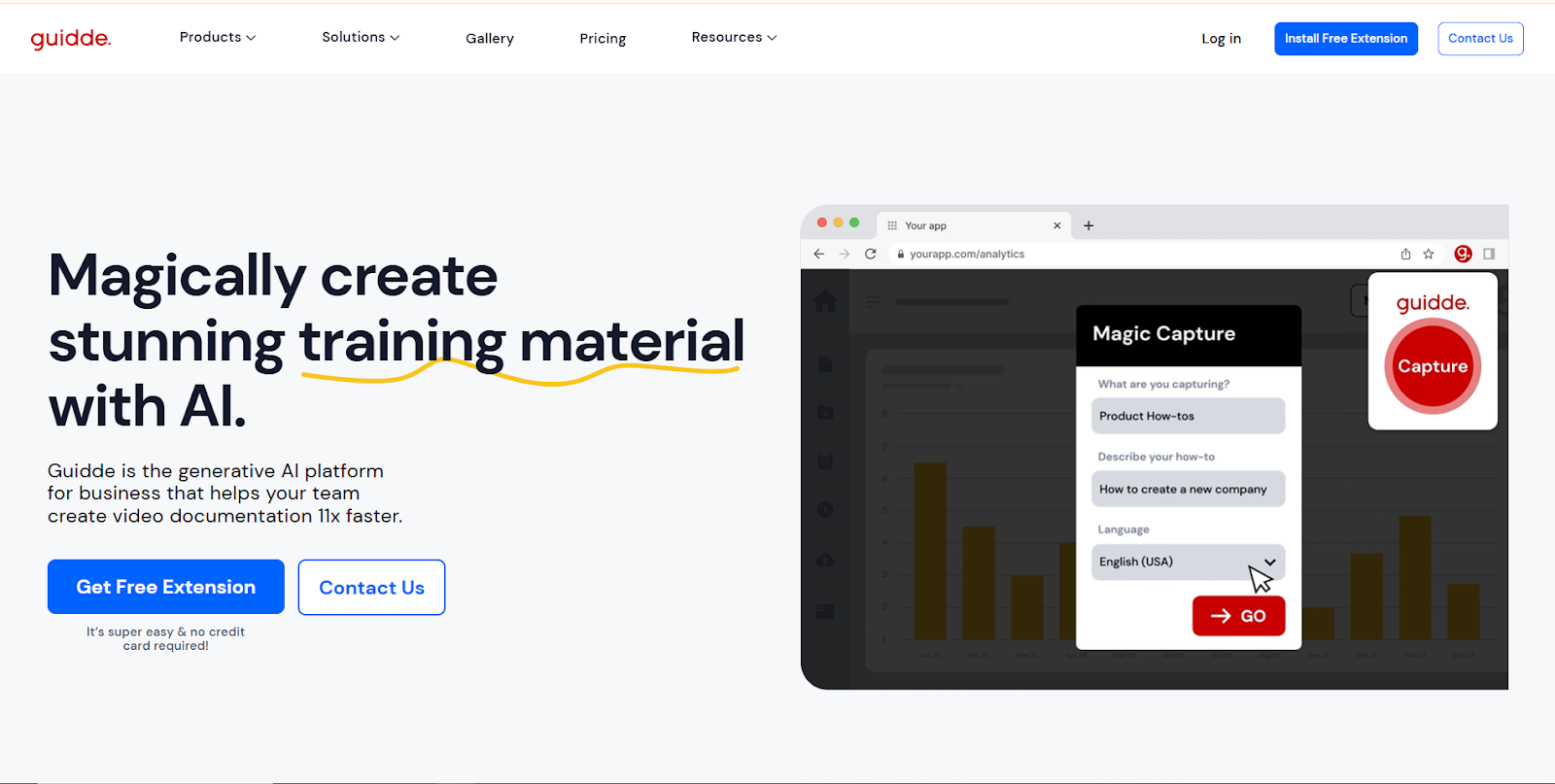
Guidde is widely known for its Magic Capture workflow. Instead of just recording your screen, it auto-generates a professional video guide with voiceover and step-by-step descriptions in seconds.
Key strengths:
- AI-generated storylines
- 200+ AI voice options
- Automatic redaction of sensitive data
- Extremely fast production turnaround
It’s ideal for teams that need to produce customer education videos quickly and repeatedly as features evolve.
3. Trainn: Structured Video-First LMS for SaaS
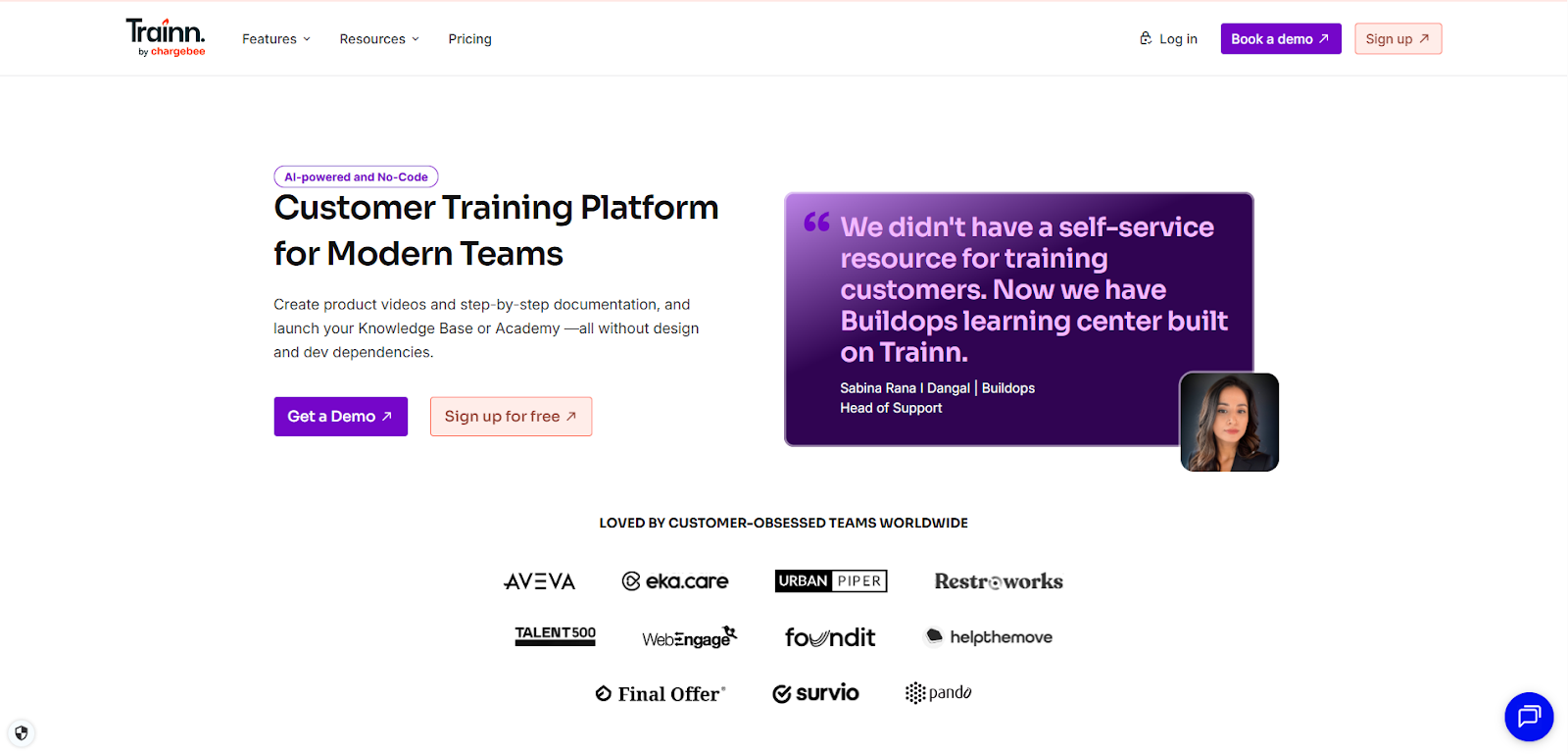
Trainn goes beyond single videos. It’s a full video-first learning management system with structured courses and role-based onboarding paths.
Highlights:
- Zero-code academy builder
- Role-based onboarding flows
- Built-in quizzes and certifications
- In-app guidance and tracking
For SaaS onboarding videos tied directly to retention analytics, Trainn is strong on structure and measurable learning outcomes.
4. Supademo: Interactive HTML Product Walkthroughs
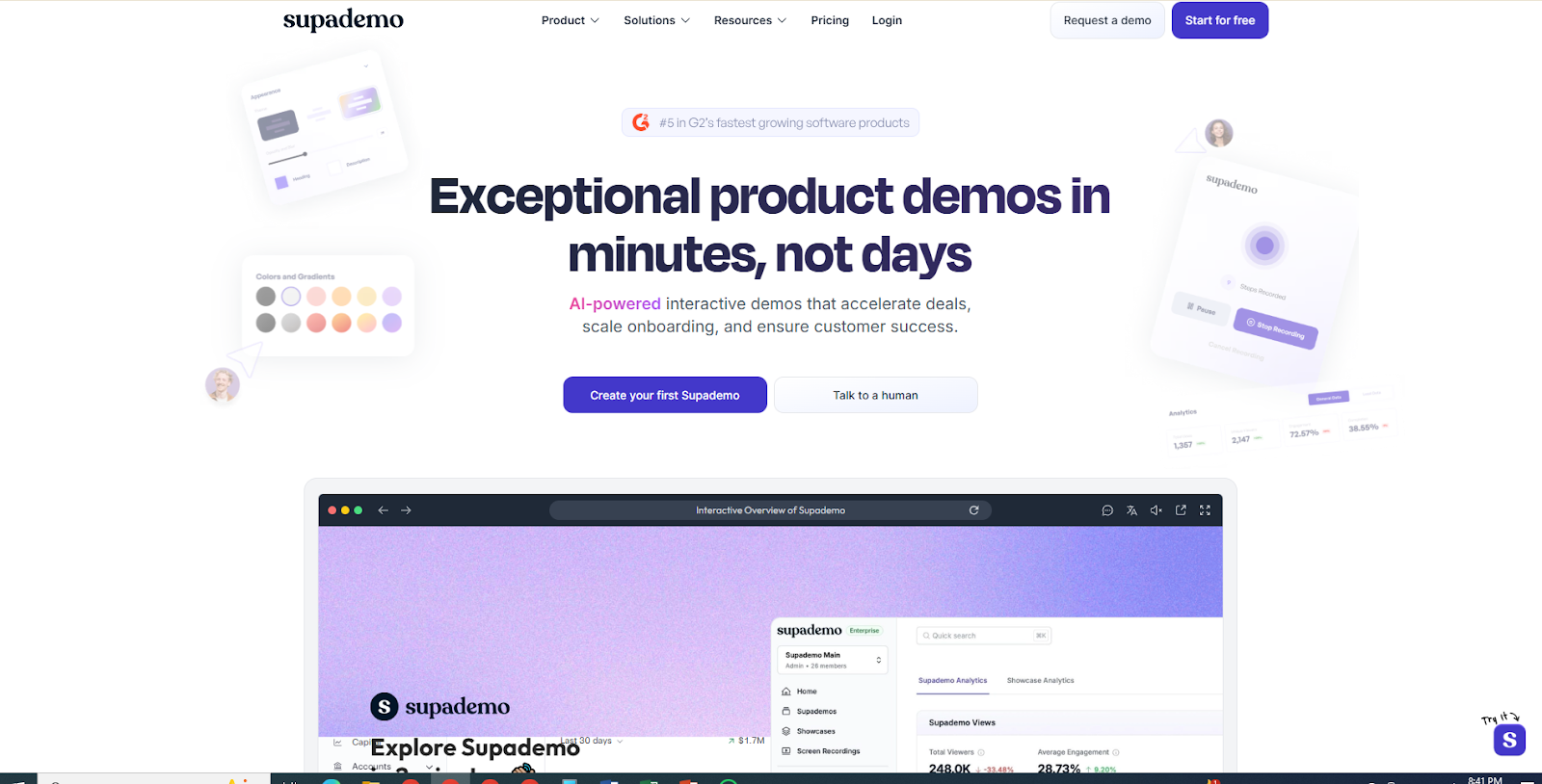
Supademo takes a different approach: instead of traditional video files, it captures interactive HTML-based demos.
Why that matters:
- Users can click through demos like a live product
- Higher engagement through micro-learning
- Easy embedding in help centers
- Personalized variables inside walkthroughs
If your onboarding strategy prioritizes product walkthrough videos that users can interact with, Supademo sits in a strong position.
5. HeyGen: Personalized AI Avatar Videos
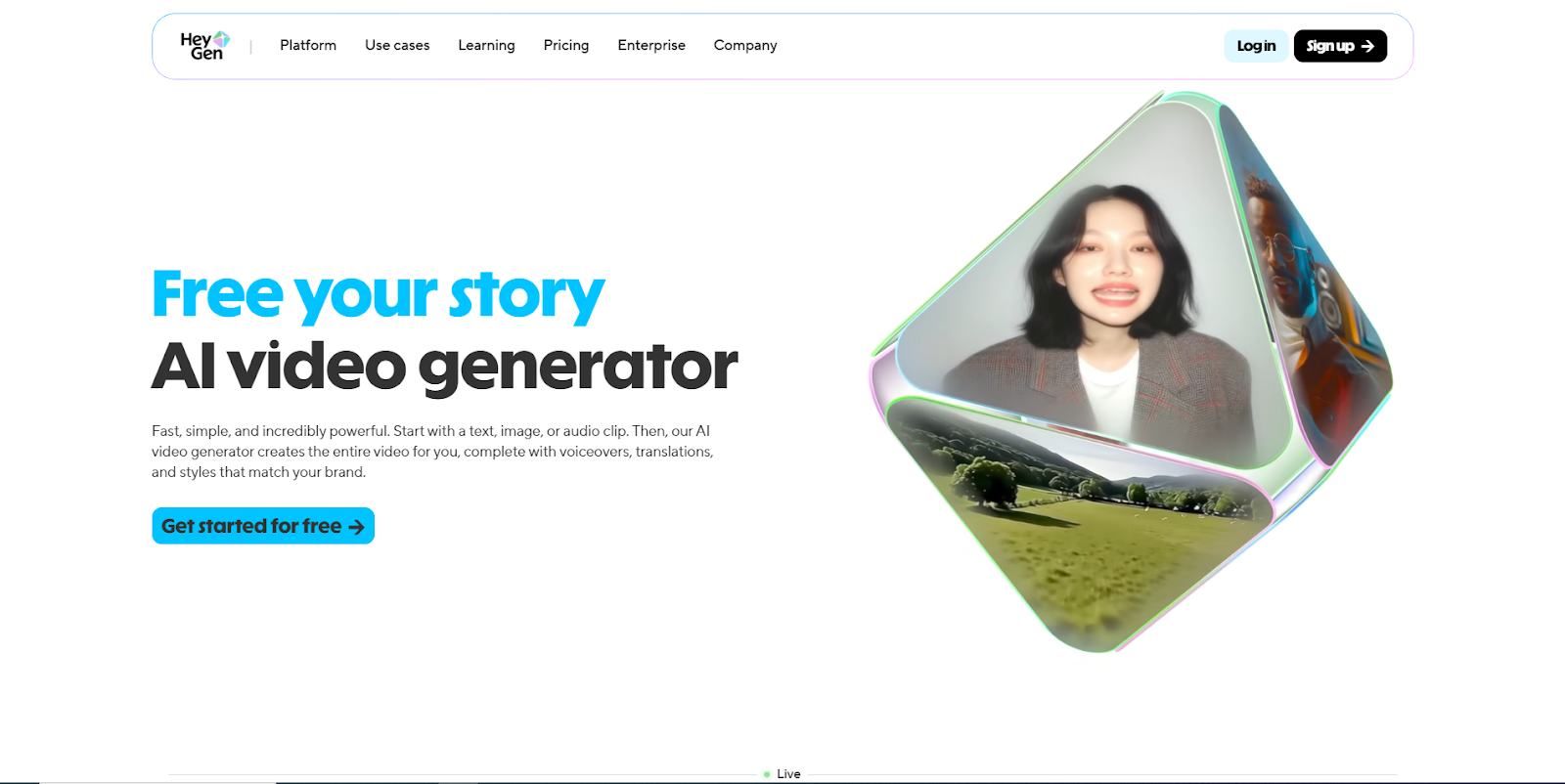
HeyGen dominates the personalization category with AI avatars and voice cloning. It allows scalable multi-language onboarding videos using template-based generation.
Common use cases include:
- Personalized welcome videos
- Enterprise onboarding at scale
- Localization into 175+ languages
- Automated voice cloning and lip-sync
Community discussions frequently highlight their efficiency gains for content creators and businesses.
It’s particularly powerful when emotional connection matters. But you still need automation.
6. Clueso: Dual-Format Video + Written Docs
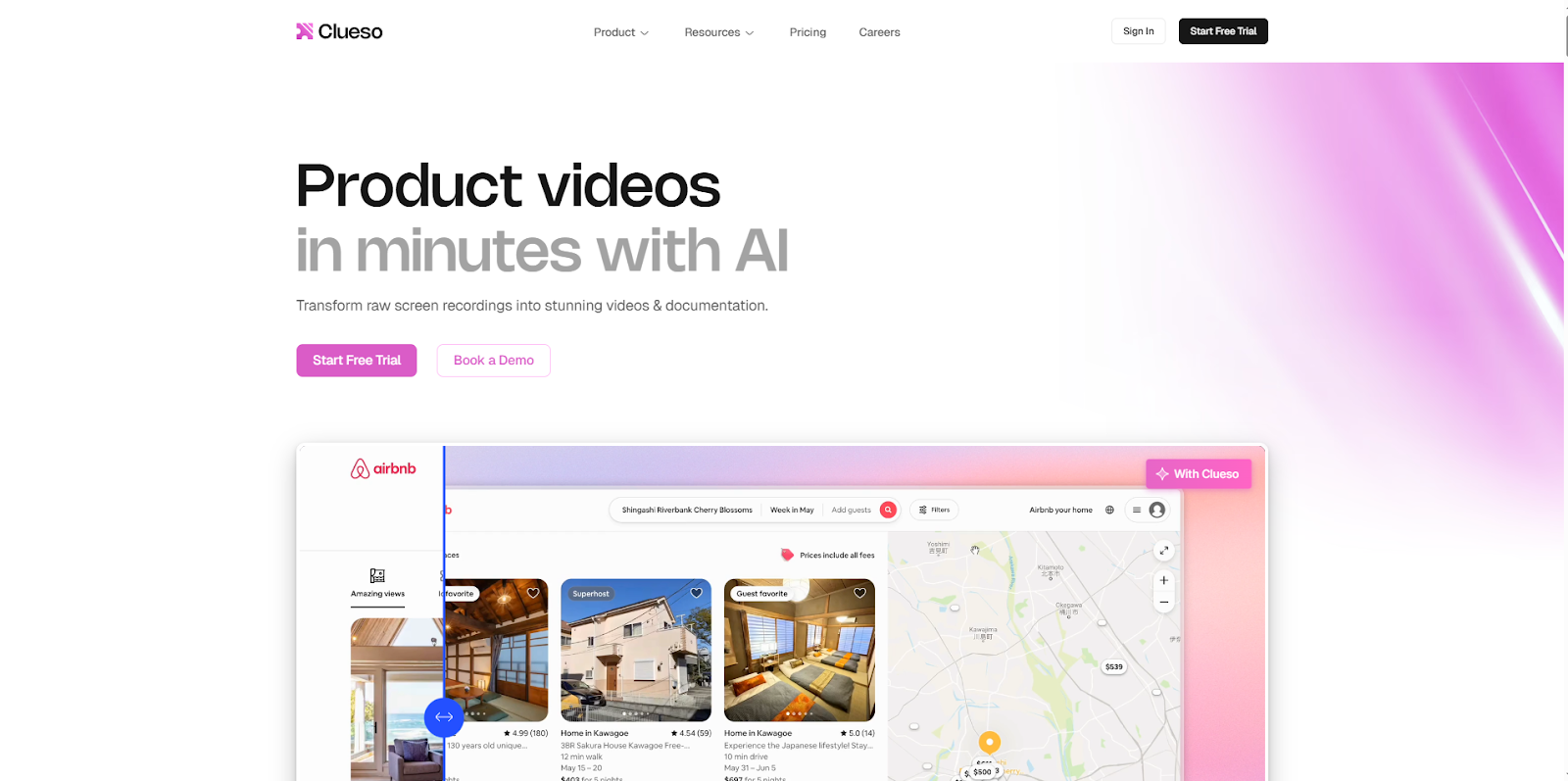
Clueso specializes in converting screen recordings into both studio-style videos and structured written documentation.
Standout features:
- Single recording → multi-format output
- Intelligent zoom and filler-word cleanup
- One-click localization
- Easier content maintenance
For teams managing detailed feature walkthrough videos or technical workflows, this dual-output approach reduces documentation debt
7. Loom: The Async Follow-Up Standard
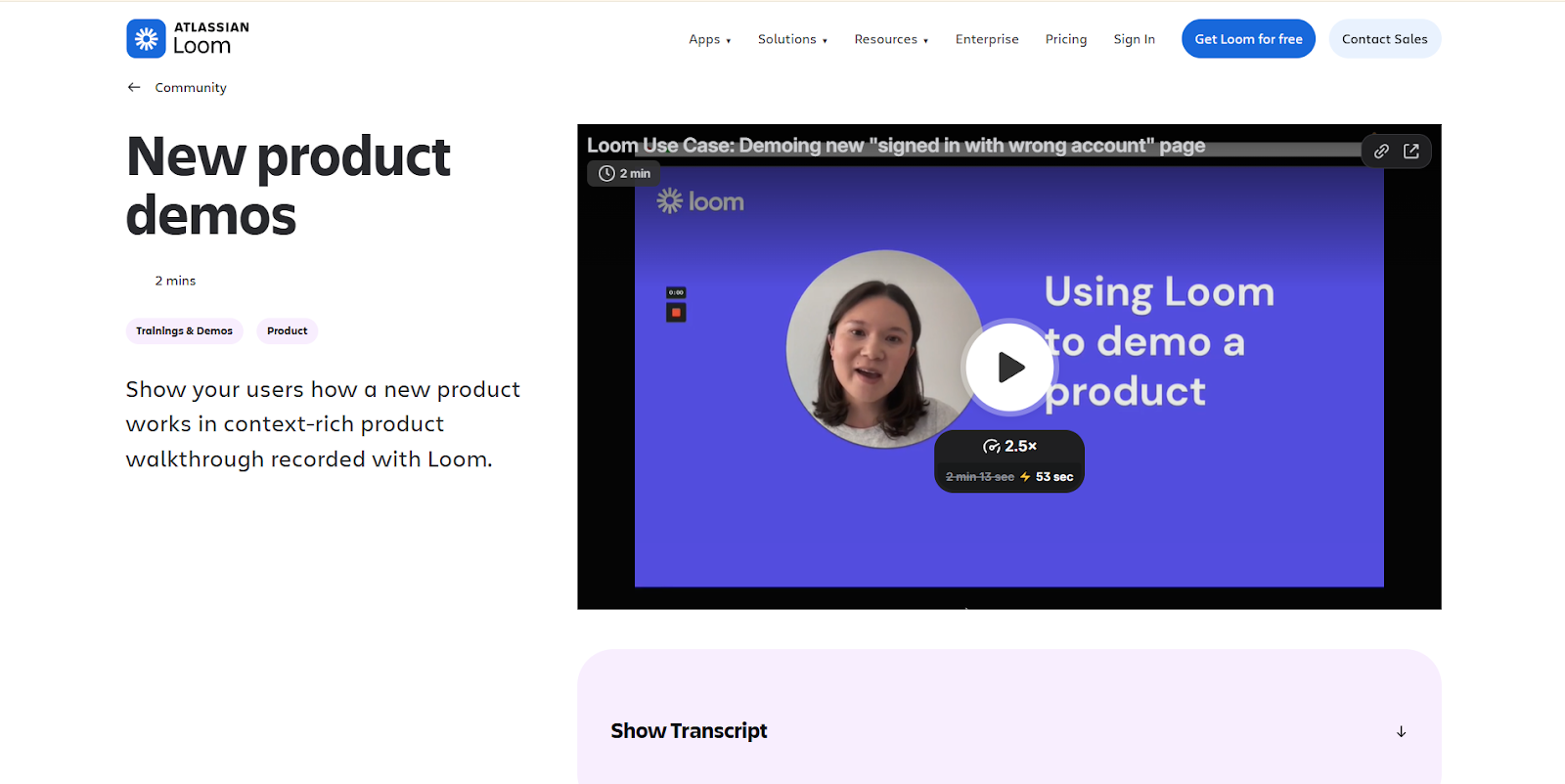
Loom remains the default for quick, human-first video communication.
It’s not heavily automated like AI onboarding tools, but it shines in:
- CSM follow-up videos
- Personalized milestone congratulations
- Quick ticket replies
- Internal team onboarding
Sometimes, a customer retention video strategy needs automation.
Other times, it just needs a real human saying, “Hey, here’s how this works.”
Loom handles that beautifully.
Quick Perspective
Not all onboarding video creation tools are competing directly. Think of them in layers:
- Automation & Scale → PuppyDog.io, Guidde
- Structured Education → Trainn
- Interactive Walkthroughs → Supademo
- Personalization at Scale → HeyGen
- Training Documentation → Clueso
- Human Async Communication → Loom
In 2026, the winning SaaS onboarding strategy isn’t about picking one tool.
It’s about building a layered system that reduces support ticket volume, increases activation, and accelerates time-to-value, without hiring five new team members.
Comparison (Visual + Narrative) Who Wins for What?
Choosing the right platform for customer onboarding videos in 2026 isn’t about picking the “best” tool.
It’s about picking the right tool for your growth stage, team structure, and onboarding maturity.
Some tools optimize for speed.
Others optimize for structure.
A few optimize for personalization at scale.
So let’s break this down clearly, first visually, then strategically.
Visual Comparison: Core Strengths at a Glance
Now let’s interpret what this actually means.
Who Wins for Automation?
Winner: PuppyDog.io
If your biggest bottleneck is production speed and scalability, automation matters more than editing polish.
PuppyDog.io is built around onboarding video automation, turning screen recordings and screenshots into structured demo videos quickly. For SaaS onboarding videos that need constant updates, this significantly reduces production friction.
Guidde and Clueso also score high here, but PuppyDog’s positioning leans more toward scalable demo infrastructure rather than documentation alone.
Best for: Teams prioritizing time-to-value acceleration and repeatable video production.
Who Wins for Interactive Product Walkthroughs?
Winner: Supademo
If your onboarding strategy centers on clickable, interactive product walkthrough videos instead of passive watching, Supademo leads.
Its HTML-based demos allow users to click, hover, and explore features in a simulated environment. That’s powerful for product-led growth (PLG) motions.
This is ideal when you want users to learn by doing rather than just watching.
Best for: Self-service onboarding and help center video integration.
Who Wins for Structured Customer Education?
Winner: Trainn
Trainn shines when onboarding isn’t just a few videos, but a complete customer education system.
With role-based onboarding, structured courses, certifications, and retention analytics, it supports deeper adoption journeys.
If your onboarding resembles an academy or training program, Trainn fits naturally.
Best for: Mid-to-large SaaS companies building structured learning ecosystems.
Who Wins for Personalization at Scale?
Winner: HeyGen
If you need multi-language onboarding videos, avatar-led welcome messages, or personalized enterprise outreach, HeyGen stands out.
Its AI voiceover for videos and template-based generation allow localization across 175+ languages with minimal manual effort.
That said, it’s more presentation-focused than workflow-focused.
Best for: Enterprise onboarding, global SaaS, or high-touch personalization strategies.
Who Wins for Documentation + Video Together?
Winner: Clueso
Clueso’s dual-output system (video + written guide from one recording) makes it ideal for teams balancing video documentation tools with written help center content.
If your support team depends heavily on searchable documentation, this hybrid model reduces duplication of effort.
Best for: Complex feature walkthrough videos requiring structured documentation.
Who Wins for Human Touch?
Winner: Loom
Automation is powerful. But sometimes onboarding needs a human face.
Loom is unmatched for:
- CSM follow-ups
- Milestone congratulations
- Custom troubleshooting videos
- Internal team training
It’s not a scalable onboarding video creation tool, but it adds authenticity where automation may feel impersonal.
Best for: Relationship-driven onboarding moments.
Takeaway: It’s Not One Tool: It’s a Stack
Here’s the truth.
Most growing SaaS companies don’t use just one tool.
A common 2026 stack looks like this:
- AI-powered onboarding videos for structured workflows
- Interactive demos for self-service adoption
- Personalized avatar videos for enterprise onboarding
- Loom for high-touch communication
This layered approach strengthens your customer retention video strategy while reducing support ticket volume and accelerating adoption.
Quick Decision Guide
If your priority is…
- Fast content creation at scale → PuppyDog.io
- Clickable, interactive walkthroughs → Supademo
- Structured video academy → Trainn
- Avatar-based personalization → HeyGen
- Dual-format documentation → Clueso
- Human async communication → Loom
The real “winner” depends on your bottleneck.
Are you struggling with production speed?
Engagement?
Personalization?
Documentation debt?
Solve the bottleneck, not the trend.
How to Structure a Customer Onboarding Video Series
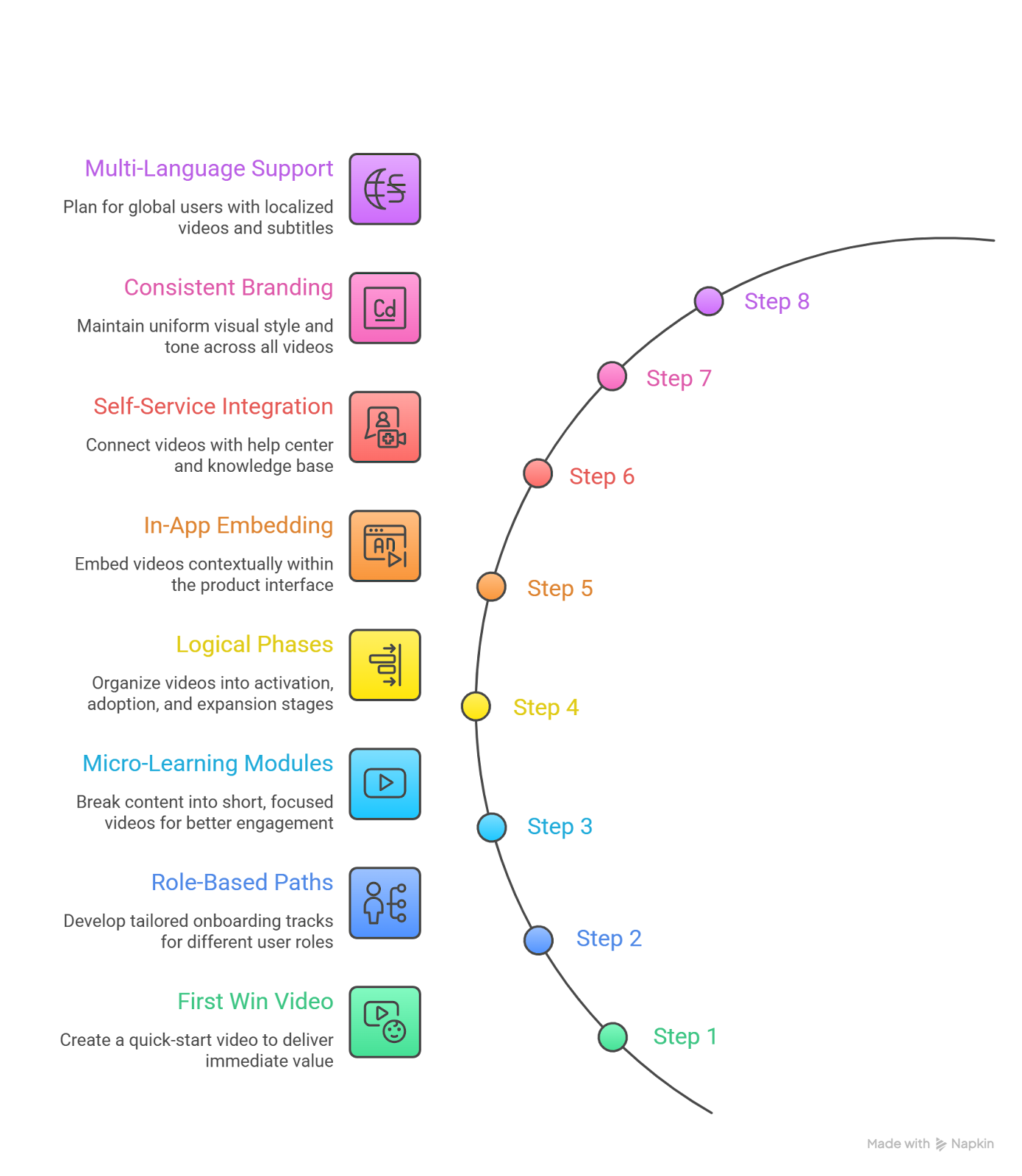
Creating one great onboarding video is helpful.
Creating a structured onboarding video series is transformational.
The goal is not just to explain features, it’s to guide users from signup to confidence as quickly as possible. That’s where time-to-value acceleration happens.
A strong series follows a logical journey, supports different user roles, and builds momentum instead of overwhelming people.
Here’s how to structure it properly.
Step 1: Start With the “First Win” Video
Your first onboarding video should answer one question:
“How do I get value from this product in the next 5–10 minutes?”
This is not a product tour.
This is a quick-start activation video.
Include:
- The core problem your product solves
- The minimum steps to achieve a meaningful result
- A clear action to take immediately
For SaaS onboarding videos, this dramatically reduces drop-offs in the first 24 hours.
Keep it under 3 minutes.
Step 2: Create Role-Based Onboarding Paths
Not every user needs the same information.
A marketer, developer, and sales rep use your product differently.
This is where role-based onboarding becomes critical.
Structure your series into tracks such as:
- 🟢 Marketing user onboarding
- 🔵 Sales team onboarding
- 🟡 Admin setup & configuration
- 🔴 Technical implementation
Each role gets:
- A tailored introduction
- Feature walkthrough videos relevant to their workflow
- Use-case-driven examples
This prevents information overload and increases retention.
Step 3: Break Content Into Micro-Learning Modules
Long videos kill engagement.
Instead of one 20-minute tutorial, create:
- 2–4 minute product walkthrough videos
- Single-feature explainers
- Task-based micro videos (“How to create your first campaign”)
Short, focused videos improve:
- Watch completion rates
- Knowledge retention
- Support ticket reduction with video
Micro-learning also makes updating easier when features change.
Step 4: Organize Videos Into Logical Phases
Your onboarding video creation tool should allow you to group videos into stages.
A strong structure looks like this:
Phase 1: Activation
- Quick-start tutorial
- Account setup guide
- First workflow walkthrough
Phase 2: Adoption
- Feature walkthrough videos
- Advanced configuration
- Integration setup
Phase 3: Expansion
- Power-user tips
- Automation features
- Best practices & optimization
This aligns with a customer retention video strategy instead of just onboarding.
Step 5: Add In-App Embedding & Contextual Triggers
A video library alone is not enough.
The most effective SaaS onboarding videos are:
- Embedded inside dashboards
- Triggered contextually
- Linked within tooltips or feature sections
For example:
- User clicks “Create Report” → 60-second video appears
- User opens Settings → short configuration guide pops up
This is where onboarding video automation becomes powerful.
You deliver help at the exact moment of need.
Step 6: Support Self-Service & Help Center Integration
Your onboarding videos should not live in isolation.
They should connect with:
- Help center video integration
- Knowledge base articles
- FAQ pages
- Support chat responses
This turns your videos into scalable self-service support content, reducing dependency on live support teams.
Step 7: Maintain Consistent Branding & Tone
When creating a series:
- Use consistent intros and outros
- Maintain uniform visual style
- Apply video branding automation where possible
- Keep voiceovers clear and consistent (AI voiceover for videos helps here)
This builds trust and professionalism, especially in enterprise environments.
Step 8: Plan for Multi-Language & Global Users
If your SaaS serves global users, your onboarding structure should account for:
- Multi-language onboarding videos
- Region-specific compliance explanations
- Subtitles for accessibility
AI-powered localization tools make this scalable without rebuilding everything manually.
A Simple Framework You Can Follow
Here’s a clean structure you can implement immediately:
- Welcome & Quick Win
- Core Workflow Tutorial
- Role-Based Feature Guides
- Advanced Tips & Automation
- Troubleshooting & FAQ Videos
Keep the total number between 6 and 12 videos for the core series.
Add optional expansion videos later.
Bottom Line
Customer onboarding videos are not a one-time asset.
They are a strategic growth engine.
When structured properly, they:
- Increase activation
- Improve product adoption
- Reduce support tickets
- Shorten time-to-value
- Strengthen customer retention
Best Practices for Customer Onboarding Video Scripts
A well-structured onboarding series can still fail if the script feels robotic, feature-heavy, or confusing.
The truth is: most customer onboarding videos don’t fail because of bad visuals, they fail because of weak scripting.
Your script determines clarity, engagement, and whether users actually reach that critical “aha” moment.
Here’s how to get it right.
1. Start With the Outcome, Not the Feature
One of the biggest mistakes in SaaS onboarding videos is opening with:
“In this video, we’ll explore the dashboard.”
Instead, lead with the result:
“By the end of this video, you’ll create your first automated report in under five minutes.”
Always anchor the script around:
- A clear outcome
- A measurable result
- A quick win
This supports time-to-value acceleration and keeps users motivated from the start.
2. Use a Problem → Solution → Action Framework
Every onboarding video should follow a simple structure:
Problem:
“What slows most teams down is manual reporting.”
Solution:
“Here’s how you automate it in one workflow.”
Action:
“Click ‘Create Workflow’ to get started.”
This framework works especially well for:
- Product walkthrough videos
- Feature walkthrough videos
- Customer education videos
It keeps the script focused and eliminates unnecessary explanations.
3. Keep Sentences Short and Conversational
Your script should sound like a helpful product specialist, not a technical manual.
Avoid:
- Long, multi-clause sentences
- Heavy jargon
- Overly technical explanations (unless role-specific)
Instead:
- Use short, direct instructions
- Speak as if guiding a user live
- Add subtle encouragement (“You’re almost done.”)
If you’re using AI voiceover for videos, clarity becomes even more important. AI narration performs best with a clean, simple sentence structure.
4. Write for Scanning, Not Just Listening
Even with video documentation tools, remember that many users:
- Watch without sound
- Skim using subtitles
- Jump to specific sections
Best practices:
- Keep each video under 60–90 seconds
- Break complex tasks into separate clips
- Use clear step markers
- Add logical pause points
This improves comprehension and contributes to supporting ticket reduction with video.
5. Focus on One Goal Per Video
Do not combine:
- Setup
- Advanced customization
- Integrations
- Reporting
- Troubleshooting
…into a single onboarding video.
Micro-learning works because each video solves one specific problem.
If your onboarding video creation tool allows modular exports, use that flexibility to build structured learning paths.
6. Anticipate User Friction Points
Your script should proactively answer:
- “What if I don’t see this option?”
- “What happens if I skip this step?”
- “Is this required?”
Addressing common objections inside the script builds confidence and reduces confusion — especially in SaaS onboarding videos designed for early activation.
7. Use Clear Visual-Sync Cues
If you’re using screen recording software or automated video documentation tools, your script must include precise directions.
For example:
- “Click the blue ‘Save’ button in the top-right corner.”
- “Select ‘Analytics’ from the left sidebar.”
Avoid vague instructions like:
- “Click here.”
- “Go over there.”
Precision removes hesitation.
8. Maintain Brand Voice and Tone Consistency
Your onboarding videos are part of your product experience.
Keep tone aligned with:
- Website messaging
- In-app guidance
- Customer success communication
If you use video branding automation, maintain consistent phrasing, terminology, and value framing across all videos.
Consistency builds trust, especially when serving enterprise users.
9. Include a Strong End-of-Video Action
Never end with:
“That’s it.”
End with direction:
- “Now create your first project.”
- “Head to Settings to connect your CRM.”
- “Watch the next video to set up advanced automation.”
This keeps users progressing through your onboarding journey and strengthens your customer retention video strategy.
10. Test Scripts Before Full Production
Before producing an entire onboarding series:
- Share the script internally
- Let someone unfamiliar with the product follow it
- Identify confusing phrases
- Simplify instructions where necessary
If someone gets stuck reading it, users will get stuck watching it.
A Simple Script Template You Can Reuse
You can structure most customer onboarding videos like this:
- Hook with outcome (15–20 seconds)
- Explain why it matters
- Step-by-step walkthrough
- Address common mistakes
- Reinforce the result
- Clear next step
This structure works well for:
- Feature walkthrough videos
- Role-based onboarding modules
- Self-service support content
- Customer education videos
Final Thought
A strong onboarding script does three things:
- Reduces confusion
- Builds confidence
- Moves users forward
When written intentionally, your videos stop being “documentation” and start becoming a strategic growth lever.
How to Measure the Success of Your Onboarding Videos (KPIs & Metrics)
Creating customer onboarding videos feels productive.
But are they actually working?
Views alone don’t mean impact. A beautifully branded onboarding video creation tool can produce stunning content, but if activation doesn’t improve, something’s off.
To measure real success, you need to connect video engagement to product behavior and revenue outcomes.
Here’s how to do it properly.
1. Activation Rate
This is your north star.
Activation measures whether new users complete the key action that defines value in your product.
For example:
- Creating the first project
- Sending the first campaign
- Connecting a data source
- Inviting a teammate
If your SaaS onboarding videos are effective, activation rates should increase within the first 7–14 days after implementation.
What to track:
- Percentage of new users who watch onboarding videos
- Percentage who complete activation milestones
- Correlation between video viewers and activated users
If viewers activate at a higher rate than non-viewers, your onboarding video automation is doing its job.
2. Time-to-Value (TTV)
Time-to-value acceleration is one of the strongest benefits of structured onboarding.
Measure:
- Average time from signup to first meaningful action
- Median time for users who watched onboarding videos vs. those who didn’t
If videos reduce TTV by even 20–30%, that’s significant.
Faster value = higher retention.
3. Video Engagement Metrics
Now let’s look at traditional video data, but with context.
Track:
- Play rate (how many users start the video)
- Completion rate (how many finish it)
- Drop-off points (where users exit)
- Rewatch behavior
If users consistently drop at the 40-second mark, your script might be too long or unclear.
This is where AI-powered onboarding video creation tools shine, especially if they provide engagement analytics.
4. Support Ticket Volume
One of the clearest indicators of success is support ticket reduction with video.
Compare:
- Ticket volume before video implementation
- Ticket volume after onboarding video rollout
- Types of tickets submitted
If you still receive repetitive “How do I…?” tickets for features covered in videos, you may need better help center video integration or stronger in-app placement.
Video works best when it’s accessible exactly when confusion happens.
5. Feature Adoption Rate
Are users adopting the features you highlight in your feature walkthrough videos?
Track:
- Usage frequency of featured tools
- Percentage of users adopting secondary features
- Behavior differences between video viewers and non-viewers
If adoption improves after adding structured product walkthrough videos, your content is influencing behavior, not just educating.
6. Retention and Churn Rate
Ultimately, your customer retention video strategy should affect long-term metrics.
Measure:
- 30-day retention
- 60-day retention
- Early churn rate
If onboarding videos are effective, churn during the first 30 days should decline.
Retention is the compound interest of SaaS growth.
7. Self-Service Support Usage
If you produce video documentation tools or self-service support content, track:
- Help center video views
- Percentage of users resolving issues without contacting support
- Ratio of self-serve resolutions to assisted resolutions
This metric directly impacts operational efficiency.
8. Role-Based Engagement Metrics
If you use role-based onboarding, measure engagement by persona:
- Admin users
- Managers
- End users
- Technical teams
Different roles consume different types of content.
For example:
- Admins may need configuration walkthroughs
- End users may only need feature highlights
Segmenting metrics improves precision in your onboarding video automation strategy.
9. Multi-Language Performance Metrics
If you offer multi-language onboarding videos, track:
- Engagement by region
- Activation by language
- Retention differences across localized content
Localization often boosts engagement significantly, especially for global SaaS products.
10. Revenue Impact (Advanced Measurement)
This is where mature teams go.
Track:
- Expansion revenue from accounts exposed to onboarding videos
- Upsell rates after feature education videos
- Customer lifetime value (CLTV) improvements
When onboarding improves understanding, expansion becomes easier. Users buy what they understand.
A Simple KPI Dashboard Framework
If you want a clean structure, build your onboarding measurement dashboard around four layers:
- Engagement (video views, completion rates)
- Activation (milestone completion, time-to-value)
- Efficiency (support ticket reduction, self-service usage)
- Revenue (retention, churn, expansion)
This layered view prevents you from focusing only on vanity metrics.
Common Mistakes When Measuring Onboarding Video Success
Let’s quickly address what not to do:
- Measuring views without linking to product usage
- Ignoring drop-off analytics
- Treating onboarding as a one-time project
- Failing to A/B test different script styles
Onboarding optimization is ongoing. It evolves as your product evolves.
How to Improve Results Based on Metrics
If completion rates are low:
- Shorten videos
- Focus on one task per video
- Improve the first 20 seconds
If activation is low:
- Make videos more action-oriented
- Embed them directly inside the product
- Add clearer next-step instructions
If support tickets remain high:
- Add contextual in-app guidance
- Improve help center video integration
- Simplify explanations
Metrics aren’t there to judge your content.
They’re there to guide iteration.
Bottom Line
The real success of customer onboarding videos isn’t measured in views.
It’s measured in behavior change.
Are users activating faster?
Are they adopting more features?
Are support tickets decreasing?
Are retention rates improving?
If the answer is yes, your onboarding strategy is working.
Customer Onboarding Video Examples and Templates
Theory is great, but nothing beats seeing real examples of effective onboarding videos in action.
The right examples give you inspiration, show structure, and help your team produce content faster without reinventing the wheel.
Here’s how to leverage examples and templates for maximum impact.
1. Quick-Start Activation Video Example
Purpose: Help users achieve their first meaningful outcome immediately.
Template Structure:
- Hook with value: “In the next 3 minutes, you’ll send your first campaign.”
- Show the core workflow in 3–4 steps.
- Highlight common pitfalls.
- Call-to-action: “Click ‘Send’ to see your results.”
Example: Puppydog.io’s activation video guides users to create their first personalized demo in under 5 minutes. The script is outcome-focused, short, and action-oriented.
2. Feature Walkthrough Video Example
Purpose: Teach a specific feature with clarity.
Template Structure:
- Introduce the feature: “Let’s look at automated email follow-ups.”
- Step-by-step demonstration with clear clicks and annotations.
- Include a “Why it matters” explanation.
- End with a mini-challenge: “Try setting up your first follow-up now.”
Example: Supademo’s walkthrough videos for interactive product demos allow users to click along in real-time, turning passive learning into micro-learning.
3. Role-Based Onboarding Template
Purpose: Personalize onboarding for different user personas.
Template Structure:
- Identify the role: Admin, Marketer, Developer, or Sales.
- Highlight tasks relevant to that role.
- Include contextual tips or shortcuts.
- Suggest next videos in the role-specific path.
Example: Trainn creates LMS-style video paths for different roles, ensuring each team member gets only what’s relevant, avoiding overload.
4. Multi-Language or Localized Video Template
Purpose: Serve global users with culturally relevant content.
Template Structure:
- Script written for localization (avoid idioms).
- AI voiceover with accent options or dubbing.
- Subtitles for accessibility.
- Embed in the help center or product interface.
Example: HeyGen allows one video template to produce hundreds of personalized, localized videos using AI avatars and voice cloning, perfect for global SaaS customers.
5. Troubleshooting / FAQ Video Template
Purpose: Reduce support tickets by addressing common friction points.
Template Structure:
- Present the problem scenario: “Users often can’t connect to their CRM.”
- Show step-by-step solution with visuals.
- Include alternative tips if things fail.
- Encourage self-service: “Refer to this video in the help center anytime.”
Example: Clueso creates dual-output content, a video plus step-by-step written instructions, which caters to different learning preferences while ensuring clarity.
6. Best Practices for Using Templates
- Keep videos short: 2–5 minutes maximum for each step.
- Maintain branding: Consistent colors, fonts, and voice tone.
- Sequence logically: Arrange templates in a phased series: activation → adoption → expansion.
- Test with real users: Make sure each template achieves the intended outcome.
7. Ready-to-Use Template Checklist
For every video you create, ensure it includes:
- Outcome-focused opening
- Clear steps with visual guidance
- Anticipated friction points
- Role or context-specific notes
- Call-to-action to the next step
- Branding and style consistency
- Localization or accessibility, if applicable
Bottom Line
Using examples and templates accelerates production and maintains quality across your customer onboarding videos.
They turn best practices into repeatable workflows, ensuring your team creates engaging, effective, and measurable onboarding content every single time.
How to Embed Onboarding Videos Into Your Product (In-App Guidance)
Creating great customer onboarding videos is only half the battle. If users can’t access them at the right time and place, their impact is limited. That’s why embedding videos directly into your product, also called in-app guidance, is essential.
When done right, in-app videos reduce friction, accelerate activation, and improve feature adoption. Let’s break down the strategies and best practices for embedding your onboarding content effectively.
1. Understand the Purpose of In-App Guidance
In-app guidance ensures videos appear contextually, exactly when the user needs them. Examples include:
- A tooltip video explaining a new feature the first time a user encounters it.
- A checklist guiding a user through multi-step processes.
- A short walkthrough embedded within a dashboard module.
Key benefits:
- Reduces the need to leave the product for help center videos.
- Improves time-to-value by delivering learning in the “micro-moment” of need.
- Supports role-based and behavioral personalization for targeted guidance.
2. Choose the Right Technical Approach
JavaScript Snippets for Web Products
Many onboarding platforms like Puppydog.io, Appcues, and Trainn provide lightweight JS snippets. These can be added once to your application and enable:
- Pop-up modals with videos
- Tooltips or guided tours
- Interactive video checklists
SDKs for Mobile Apps
For iOS and Android apps, SDK integration is standard. Using frameworks like React Native or native SDKs allows:
- Triggering videos based on user behavior
- Layering contextual tooltips over your UI
- Supporting cross-platform updates without separate code for iOS and Android
This is particularly useful for multi-platform SaaS products with frequent feature updates.
3. Trigger Videos Contextually
Effective in-app guidance relies on behavioral triggers, not generic timers. Examples:
- A video triggers when a user clicks a feature for the first time.
- A checklist video appears when a user completes a key milestone.
- Personalized onboarding videos for role-based access (admin vs. end-user).
This ensures the right video reaches the right user at the right moment, maximizing engagement and learning retention.
4. Use Modular Video Segments
Rather than embedding long-form videos, break your content into bite-sized modules:
- Each video covers one task or feature.
- Modules can be sequenced in a checklist or guided workflow.
- Users can skip or revisit sections as needed.
Modular videos work particularly well with AI-powered onboarding video tools like Puppydog.io or Clueso, which allow easy updates and reordering without full re-recording.
5. Integrate With Help Center or Support Platforms
Embedding videos in your product isn’t just about the interface, it should connect with your broader support ecosystem:
- Link in-app videos to your help center articles.
- Enable users to open contextual videos from support tickets.
- Track in-app video engagement alongside support ticket reduction metrics.
This creates a seamless self-service support content system that reduces friction for both users and support teams.
6. Monitor Performance and Iterate
Once your videos are embedded:
- Track completion rates and drop-off points for in-app videos.
- Analyze engagement by user role or segment.
- Adjust triggers, placement, or script based on user behavior and feedback.
The goal is a continuous improvement loop, ensuring videos remain relevant as your product evolves.
7. Best Practices Summary
- Embed videos contextually using JavaScript snippets or SDKs.
- Use short, task-focused modules instead of long-form content.
- Trigger videos based on user behavior, not fixed schedules.
- Connect in-app videos with help centers and support documentation.
- Continuously monitor performance and optimize.
Bottom Line
In-app guidance transforms onboarding videos from passive content into interactive, actionable learning experiences.
By delivering videos at the exact moment users need them, you accelerate adoption, reduce support tickets, and create a seamless customer experience.
Integration Capabilities for Customer Onboarding Videos
Beyond price, integration is key to making onboarding videos actionable and seamless.
Key Integration Areas
1. Help Desk & Support Platforms
Embedding videos directly into support tools ensures your content appears where users already seek help, reducing friction and increasing adoption.
2. Product & In-App Guidance
In-app integration lets onboarding videos trigger contextually — for example, when a user first encounters a feature. JavaScript snippets or SDKs make this possible without major engineering overhead.
3. CRM & Analytics Systems
Connecting onboarding videos with CRM tools allows you to correlate video engagement with user behavior and retention. This feeds into KPI tracking and measures real business impact.
4. Documentation & Knowledge Bases
Integration with wiki or documentation systems allows videos to be embedded directly inside written guides, making your content multi-format and searchable.
5. Collaboration Platforms
Integrations with tools like Slack or MS Teams increase visibility for internal training and enable team members to share onboarding content quickly.
Why Integration Matters
Tools with deep integration capabilities don’t just host videos, they make them part of the customer experience. When your onboarding videos automatically appear:
- In help tickets
- Within product workflows
- On dashboards to reduce confusion
- Inside knowledge base articles
…you shorten support cycles, personalize guidance, and boost product adoption velocity.
Pros and Cons of Customer Onboarding Video Tools
Choosing the right customer onboarding video tool isn’t just about features or price. It’s about understanding what each tool excels at and where it falls short. Here’s a clear breakdown of the pros and cons of the major tools in 2026.
Comparative Table of Pros and Cons
Key Takeaways
- Speed vs. Personalization
- Tools like Guidde and Clueso excel at fast content production.
- HeyGen focuses on highly personalized, emotional engagement.
- Interactivity vs. Simplicity
- Supademo shines for interactive walkthroughs, but it may be overkill if a simple video is enough.
- Loom is simple and human, ideal for ad-hoc support or small-scale onboarding.
- Enterprise vs. Small Teams
- Guidde, Trainn, and HeyGen are better suited for enterprise-scale onboarding programs.
- Puppydog.io, Loom, and Clueso scale well for small to mid-size SaaS teams with faster deployment needs.
- Integration & Maintenance
- Tools with strong integration capabilities (Trainn, Supademo, Guidde, Puppydog.io) allow onboarding videos to live in-app, in help centers, and across CRM/analytics systems.
- Maintenance-friendly tools like Clueso reduce long-term content refresh costs, especially for evolving products.
This comparison helps teams match tools to business needs rather than choosing based on hype or price alone.
Conclusion
Customer onboarding videos have evolved from a “nice-to-have” to a strategic necessity for SaaS businesses in 2026. The right tools can accelerate time-to-value, reduce support tickets, and boost customer retention, all while making your onboarding process more engaging and personalized. Whether you prioritize speed, interactivity, or AI-driven automation, there’s a solution that fits your team’s needs.
Ready to transform your customer onboarding experience? Start creating personalized, high-impact onboarding videos today with Puppydog.io and see the difference for yourself.
FAQ ( Frequently Asked Questions )
1. What are customer onboarding videos?
Customer onboarding videos are short, structured videos designed to guide new users through your product or service. They demonstrate key features, workflows, and best practices, helping customers understand and adopt your product quickly.
2. Why are onboarding videos important?
Onboarding videos improve retention, accelerate time-to-value, reduce support tickets, and provide a more engaging, visual learning experience than text-based instructions. They help users reach their first “Aha!” moments faster and make your product easier to adopt.
3. What's the best tool for creating customer onboarding videos?
The best tool depends on your needs:
- Puppydog.io for AI-powered personalized videos and multi-language support.
- Guidde for rapid, secure video creation.
- Supademo for interactive walkthroughs.
- HeyGen for hyper-personalized, AI avatar videos.
- Loom for quick, asynchronous explanations.
4. How long should customer onboarding videos be?
Keep videos concise ideally 2–5 minutes per module. For complex features, break content into multiple micro-videos to improve engagement and retention.
5. Do I need video editing skills to create onboarding videos?
Not necessarily. Tools like Puppydog.io, Guidde, and Clueso automate editing, AI voiceovers, and script generation, allowing even non-technical team members to produce professional-quality videos.
6. How can I create onboarding videos in multiple languages?
Modern tools support AI-powered localization and voiceovers. Platforms like Puppydog.io, HeyGen, and Guidde can generate multi-language versions automatically, saving time and costs compared to manual translation.
7. What's the ROI of customer onboarding videos?
Structured onboarding videos reduce churn, cut support tickets by 20% or more, and accelerate user adoption. Companies report retention increases of 50–82% and significant labor savings, making these videos a highly cost-effective investment.
8. How often should I update my onboarding videos?
Update videos whenever product features, UI changes, or workflows are modified. AI-powered tools make updates fast, ensuring content stays accurate, relevant, and aligned with user expectations.

Sarah Thompson is a storyteller at heart and Business Developer at PuppyDog.io. She’s passionate about creating meaningful content that connects people with ideas, especially where technology and creativity meet.